Getting control over team purchases starts before any software is switched on. Finance leaders who define clear disbursement rules, set individual access levels and bring company spending into one place typically see fewer off-book purchases and far more reliable oversight of departmental budgets. Learning how to manage employee spend with bill com means building those habits into the platform from day one.
Staff buying is a balancing act between getting work done quickly and keeping administrative control. Every card charge and reimbursement should map to a verified general ledger account, yet routine purchasing should still feel effortless for the people making it. Well-designed workflows deliver both.
Quick verdict: with an overall score of 7.9/10, Bill suits growing companies that need layered managerial approvals and centralized accounts payable oversight. It is less suited to micro-enterprises with informal payment needs or sole operators who only want basic bookkeeping.
| Metric | Summary |
|---|---|
| topappreviewsites score | 7.9/10 |
| Best for | Growing teams that require multi-level managerial approvals for team outlays |
| Not ideal for | Sole operators seeking lightweight personal expense tracking without organizational roles |
| Key strengths | Accounts payable management, payment scheduling, organized transaction documentation |
| What to check before buying | Confirm user seat pricing and organizational hierarchy settings on the official vendor website |
1. How topappreviewsites Reviewed Bill
This review examines what Bill is designed to do, who it serves and how it stacks up against similar tools. We judge it against seven topappreviewsites criteria: features, ease of use, pricing and value, integrations, audience fit, support and competitive position. Plans, prices and limits change frequently, so treat the points below as a checklist to verify on the official website before purchasing. This article was researched and drafted with AI assistance, then reviewed and edited by the topappreviewsites Editorial Team.
2. What Bill Is and Its Core Spend Management Scope
Bill is a financial operations platform built to automate accounts payable, accounts receivable and corporate disbursement workflows. It brings vendor invoices, expense records and internal approval routing into a single organized hub. By standardizing how company funds leave the bank, finance managers keep departmental budgets transparent and maintain audit-ready documentation for ongoing reconciliation.
3. Before You Set Up Employee Spend Controls
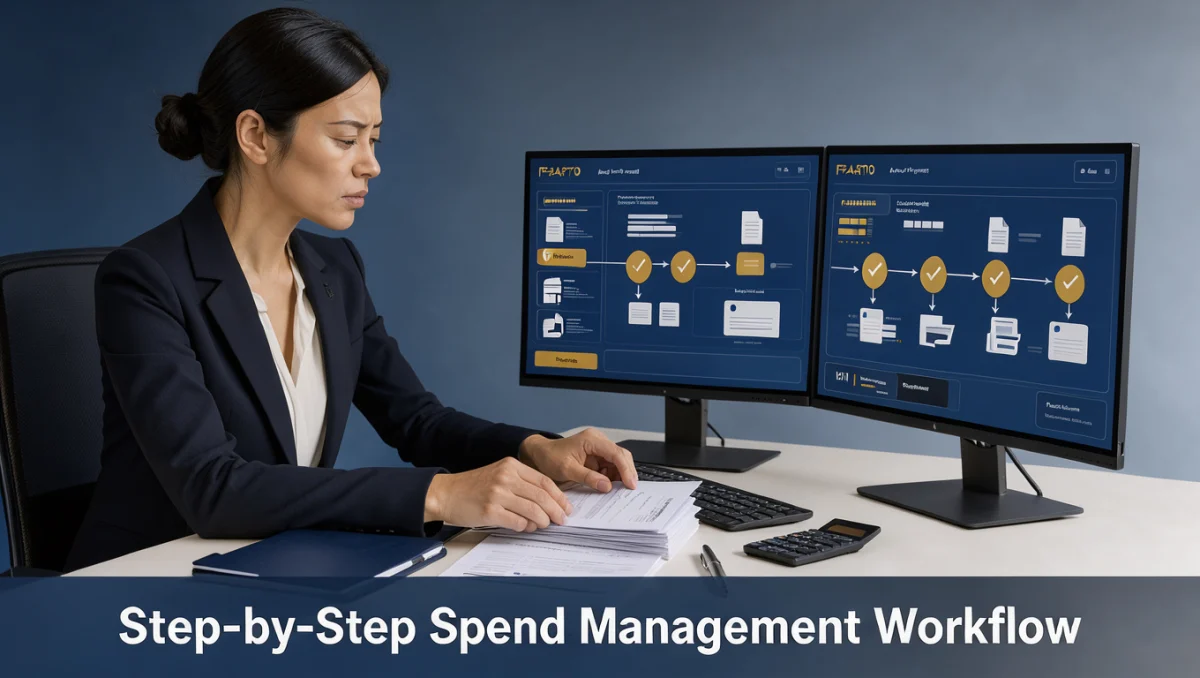
Written purchasing guidelines should exist before you hand out corporate payment tools or invite staff to submit reimbursement requests. Spend software works best when human rules and technical permissions reflect the actual operational structure of your company.
3.1. Defining Corporate Expense Policies
Document clear expense boundaries before rolling out any digital tool. A written policy should specify which business categories qualify for company funds, what travel limits apply and when staff need pre-authorization from department heads. When employees know acceptable spending thresholds in advance, administrative disputes decline and compliance improves.
3.2. Mapping Organizational Approval Hierarchies
Assigning review responsibilities prevents bottlenecks and stops unauthorized outflows. Identify which managers oversee each departmental budget and decide whether expenses above a given amount need secondary review by an executive or controller. Mapping these chains of command on paper makes configuration inside your finance dashboard far smoother.
3.3. Consulting Your Accounting Advisor
When structuring tax categories, deductible travel allowances or employee reimbursement ledgers, consult an external accountant or qualified tax professional. Advisors help classify outlays accurately so your organization stays compliant with tax reporting rules and internal audit requirements.
4. Getting-Started Workflow for Managing Employee Spend
An orderly rollout lets staff adopt new submission habits without disrupting daily vendor payments. Follow this sequence to establish reliable oversight across the company.
4.1. Step 1: Assigning User Roles and Permissions
Set up user profiles based on real job duties. Financial platforms typically let administrators designate roles such as standard submitter, department approver and financial administrator. Restricting administrative rights ensures that only verified finance staff can change company-wide payment rules, link bank accounts or release final disbursements.
4.2. Step 2: Establishing Budget Limits and Expense Categories
Align every digital expense category with your existing chart of accounts. Finance teams should define standard categories such as office supplies, client entertainment, software subscriptions and travel lodging. Tying each category to specific cost centers gives leaders continuous visibility into which units consume the most capital.
4.3. Step 3: Setting Up Receipt Submission Workflows
Require staff to upload documentation immediately after each transaction. Modern platforms let employees capture electronic receipts, record itemized vendor bills and add business justifications. Prompt digital capture prevents lost paper receipts and ensures every entry has verifiable support attached.
4.4. Step 4: Routing Transactions Through Multi-Step Approvals
Send each expense report or vendor bill through a standardized managerial sequence. Department leaders first confirm the purchase served a genuine business purpose and stayed within allocated funds. Once the department manager approves, the transaction moves to the central accounting desk for payment release or ledger reconciliation.
4.5. Step 5: Reconciling Outflows with the General Ledger
Close each spending cycle by matching verified outlays against changes in bank balances. Routine reconciliation confirms that pending disbursements, card settlements and employee reimbursements agree with cash reserves before the monthly books close. For broader guidance on keeping books balanced, explore our Accounting resources.
5. Best Practices for Sustainable Corporate Spend Management
Consistent habits turn a software investment into lasting efficiency. Financial controllers should run ongoing oversight routines to keep expense tracking accurate across every active department.
5.1. Conduct Periodic Category Audits
Review team spending patterns on a monthly or quarterly schedule. Spot-checking categories helps finance directors spot recurring costs that can be renegotiated with suppliers, or departmental subscriptions that duplicate existing company software. Periodic audits also confirm whether employees follow documentation standards.
5.2. Maintain Immediate Receipt Capture Rules
Enforce firm documentation deadlines for all team members. When receipt uploads wait until month-end, accounting teams face administrative strain and struggle to verify details. Requiring digital proof within a set number of days keeps expenditure reports timely and accurate.
5.3. Separate Initiation from Final Payment Authorization
Keep duties divided by separating the employee who requests funds from the administrator who approves the withdrawal. Sound governance means no single person should be able to initiate, approve and disburse corporate funds alone. Segregation of duties protects cash reserves from internal fraud and accidental overpayment.
6. Common Mistakes to Avoid When Managing Staff Spend
Even well-intentioned organizations stumble when rolling out new spending platforms. Avoiding these common procedural errors saves administrative time and preserves accurate records.
6.1. Overcomplicating Approval Chains
Too many approval layers cause delays and frustrate team members who need prompt vendor payments. If minor operational supplies require several executive sign-offs, projects slow down and managers waste time on routine items. Reserve multi-stage approvals for substantial purchases or unusual budget categories.
6.2. Neglecting User Permission Reviews
Failing to update permissions when employees change departments or leave the company introduces financial risk. Finance teams should run regular access reviews, deactivate former employees promptly and adjust approval thresholds whenever reporting lines change.
6.3. Skipping Expense Categorization Standards
Vague or generic expense labels produce messy general ledgers. When staff file diverse purchases under miscellaneous headings, finance directors lose actionable data about cost drivers. Establish strict category tagging so every transaction reflects its precise business purpose.
7. How to Choose Between Bill and Alternative Financial Tools
The right spending tool depends on your primary financial workflows, invoice volumes and company size. Different options in the financial software landscape address distinct priorities.
| Platform Category | Primary Operational Focus | Ideal Team Profile | Consideration Factor |
|---|---|---|---|
| Accounts Payable Hubs like Bill | Centralized invoice workflows and outgoing vendor payments | Businesses handling regular vendor bills and departmental outlays | Verify transaction fees and role options on the official website |
| Dedicated Card Platforms like Brex or Ramp | Instant physical and virtual corporate card management | Startups prioritizing real-time employee card limits | Check card underwriting requirements on official provider pages |
| Comprehensive Accounting Systems like QuickBooks | End-to-end bookkeeping and tax reporting | Small businesses needing complete core financial records | Check whether specialized spend add-ons are required |
Organizations that process high volumes of incoming vendor invoices and need structured managerial approvals often favor dedicated accounts payable systems. Businesses focused mainly on issuing corporate cards to distributed travel teams may prefer specialized card providers. Independent reviews from Top App Review Sites can help finance directors weigh these trade-offs objectively.
8. Frequently Asked Questions
8.1. How do finance leaders decide whether employee spend tools are necessary?
Look at how much administrative time goes into chasing paper receipts and sorting out unapproved card charges each week. When manual reimbursement tracking creates reconciliation delays or obscures departmental budgets, dedicated spend management software brings structured controls and clear visibility.
8.2. What should businesses budget for beyond base subscriptions?
Plan for implementation costs, possible user seat adjustments and domestic or international payment processing charges. Reviewing official vendor documentation on user tiers and transaction fees gives an accurate picture of total cost before committing long term.
8.3. Should an external accountant review our approval workflows before deployment?
A certified bookkeeper or CPA can confirm that approval hierarchies and ledger classifications match established internal control standards. External experts also verify that your digital spending rules align with tax compliance guidelines and audit requirements.
8.4. How can businesses maintain internal controls as headcount grows?
Maintain control through role-based permissions, scheduled expense audits and clear separation of duties between requesters and payment releasers. Updating approval limits periodically keeps oversight in step with growth without overwhelming executive reviewers.
9. Final Verdict on Employee Spend Management
Managing team expenditures means balancing strict governance with smooth execution. Bill offers an established environment for companies that want centralized payment workflows, clear invoice management and structured managerial review.
| Criterion | Score /10 | Reason |
|---|---|---|
| Features | 8.2/10 | Centralized payment routing, document storage and structured managerial approval controls |
| Ease of Use | 7.8/10 | Systematic interface for standard workflows, though deep approval tiers require careful planning |
| Pricing and Value | 7.4/10 | Buyers should verify base seat costs and transaction fees directly on the official pricing page |
| Integrations | 8.0/10 | Works with standard general ledger environments to support clean month-end reconciliation |
| Audience Fit | 8.4/10 | Well aligned with growing companies and established finance teams handling structured vendor disbursements |
| Support | 7.2/10 | Support pathways vary by service agreement, so check availability on official portals |
| Competitive Position | 8.3/10 | Holds a clear standing in accounts payable and disbursement automation alongside modern spend platforms |
Overall topappreviewsites Score: 7.9/10
9.1. Recommendations for Different Business Profiles
- Small to Medium Enterprises: Companies managing regular vendor relationships and multi-person departmental budgets will find real value in standardizing payments through centralized accounts payable software.
- Sole Proprietors and Freelancers: Independent operators should consider simpler bookkeeping tools, since multi-tier approval routing exceeds single-person business needs.
- Distributed Corporate Departments: Organizations with remote managers benefit from standardized digital receipt uploads and tiered permissions that protect corporate bank accounts.
Have questions about choosing the right financial operations software for your organization? Contact our team through our contact page or follow topappreviewsites on LinkedIn for ongoing software reviews and business technology guides.