topappreviewsites may earn a commission when you buy through links on this page, at no extra cost to you. This does not affect our ratings.
Wondering how to build a sales pipeline with Folk CRM? Start by translating each step of your buyer's journey into a structured pipeline view. At Top App Review Sites, we test productivity and relationship management tools so growing teams can set up practical workflows without friction.
A well-built pipeline gives founders, consultants, and sales professionals one place to follow prospects from first contact to signed contract. Getting your stages right from the start prevents messy deal histories and missed follow-ups as your prospect list grows.
Quick answer: To build a sales pipeline in Folk CRM, import qualified contacts, define a sequence of clear stages, add custom fields for deal values, and log every interaction consistently. Set firm criteria for moving prospects between stages and hold a weekly pipeline review to keep conversations progressing toward a close.
| Element | Details |
|---|---|
| Who this guide is for | Freelancers, small business owners, and agency founders organizing client acquisition. |
| What you need before starting | A clean list of prospect contacts, defined deal milestones, and target deal values. |
| What you will have at the end | A working, organized sales pipeline that tracks expected revenue and relationship history. |
1. How Top App Review Sites Put This Guide Together
This guide pairs what the software does with the topappreviewsites buying framework, so you can choose what fits your business. Plans, prices, and limits change often, so we flag what to confirm on the official website before you buy. The article was researched and drafted with AI assistance, then reviewed and edited by the topappreviewsites Editorial Team.
2. Before You Start

Solid groundwork prevents cluttered contact databases and keeps your pipeline tied to real revenue opportunities. Before configuring your pipeline in Folk CRM, gather these assets:
- A clean contact list: Collect prospect records, company names, email addresses, and decision-maker titles in a spreadsheet and verify accuracy.
- Documented qualification criteria: Define what makes an inquiry worth moving into active negotiation so cold prospects don't clutter your pipeline.
- Stage milestone definitions: Set three to six clear milestones that describe exactly where a conversation stands, such as Lead, Discovery Call, Proposal Sent, and Won.
- Field specifications: Decide which attributes matter most for reporting, such as estimated deal value, expected close date, and deal owner.
- Access permissions: Confirm that team members managing sales outreach have the right workspace permissions on the official Folk website.
3. Step-by-Step Workflow
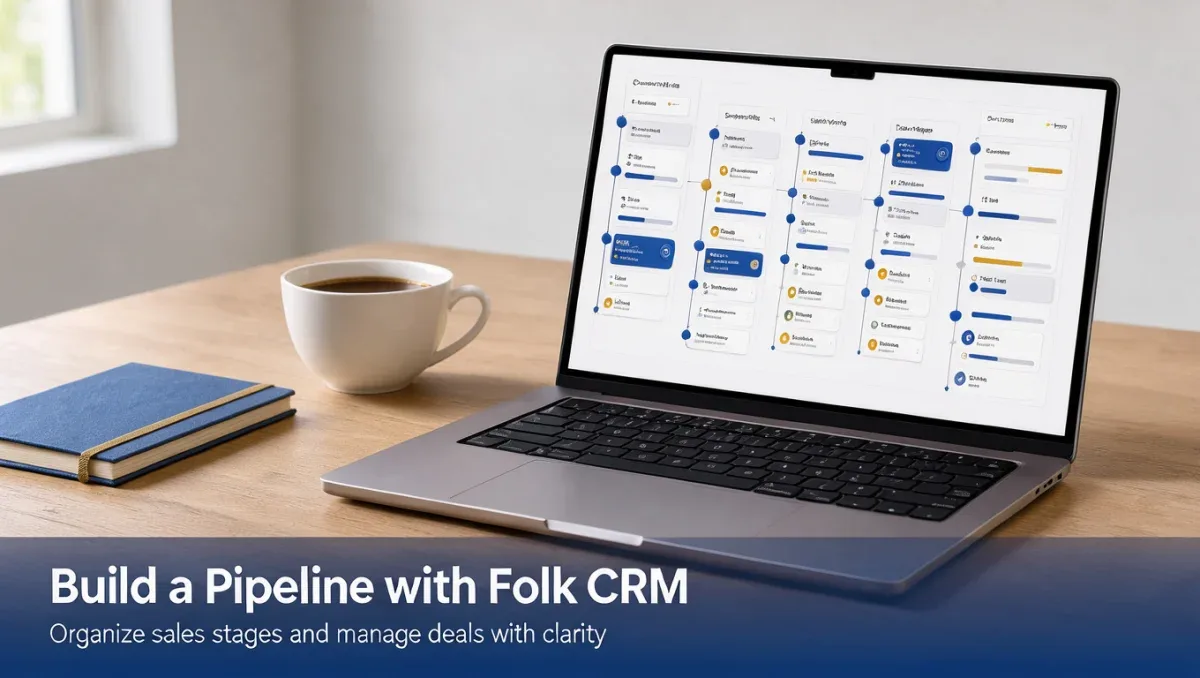
Setting up an effective workflow in Folk CRM takes five structured steps. Follow this sequence to keep your deal management clear and consistent:
- Prepare your contact records: Remove duplicate entries and confirm contact details before importing, so your database starts out organized.
- Create your pipeline structure: Set up a separate column for each stage of your sales cycle, naming stages after objective actions rather than vague assumptions.
- Configure essential fields: Add tracking attributes such as deal amount, target close date, primary contact, and source channel so every record shows key commercial context.
- Populate existing opportunities: Move qualified contacts into the stage that matches their current negotiation status, checking each assignment against recent email exchanges.
- Establish interaction routines: Log notes, schedule reminders, and record message touchpoints against each contact so your whole team has the full history.
Browsing Top App Review Sites helps professionals discover modern software approaches that keep business operations simple and reliable.
4. Your First 30 Days
Building disciplined habits in the first month keeps your pipeline an accurate picture of revenue. Use this four-week framework to stay consistent:
| Week | Routine to build | Why it matters |
|---|---|---|
| Week 1 | Daily contact entry and stage assignment for incoming leads | Prevents backlog and ensures new inquiries get timely first attention. |
| Week 2 | Midweek audit of property fields and missing deal values | Keeps revenue forecasts accurate and flags incomplete prospect records. |
| Week 3 | Weekly pipeline review to identify stalled conversations | Surfaces opportunities needing follow-up before prospects lose interest. |
| Week 4 | Monthly cleanup of inactive or lost opportunities | Clears clutter from active views so your focus stays on viable deals. |
5. Common Mistakes and How to Avoid Them
Many teams run into avoidable problems when setting up relationship-driven sales tracking. Keep these pitfalls in mind as you configure Folk CRM:
- Creating too many stages: More than six or seven stages creates confusion. Keep stages concise and tied to clear milestones in the buyer journey.
- Neglecting stale records: Unresponsive prospects left in active stages distort forecasts. Archive or mark inactive deals promptly.
- Inconsistent data entry: Missing deal values or meeting notes leave teammates uninformed. Set standard guidelines for logging every conversation.
- Skipping official documentation: Features, record limits, and collaboration settings vary by subscription tier, so confirm current capabilities on the official Folk website.
6. When to Ask for Help
You can manage a pipeline in-house, but certain growth points call for outside expertise or direct vendor input:
- Data migration complexity: If you are moving thousands of contacts from a legacy database, consult a data specialist to prevent record corruption.
- Advanced sales process design: When expanding an outbound team across several regions, a sales operations consultant can help design multi-stage funnels.
- Account and permission questions: For user roles, team access rules, or subscription limits, contact the official Folk support team through the official Folk website.
7. Frequently Asked Questions
What should I prepare before importing contacts into Folk CRM?
A clean spreadsheet with verified email addresses, prospect names, company affiliations, and current conversation statuses saves significant setup time. Removing duplicates beforehand keeps your contact database uncluttered from the start.
How many pipeline stages work best for a small sales team?
Most small teams stay clear with four to six distinct stages, such as lead qualification, initial discovery, proposal submission, negotiation, and closed status.
Should non-sales contacts be kept in the same pipeline?
Keeping separate groups in distinct views or pipelines prevents clutter in your active sales workflow. Investors, hiring candidates, and partners are better tracked on dedicated lists so revenue projections reflect only qualified commercial prospects.
When should an opportunity be moved to a lost stage?
Move an opportunity to a lost or closed stage when a prospect clearly declines an offer or stops responding after several structured follow-ups. Archiving these contacts keeps your daily focus on responsive prospects.
8. Next Steps
Now that you know how to build a sales pipeline with Folk CRM, keep the momentum going with these actions:
- Review your current prospect communications and assign each contact to its matching milestone stage.
- Set a recurring weekly calendar slot to review stalled opportunities and plan follow-up outreach.
- Confirm current plan limits, seat policies, and workspace collaboration options on the official Folk pricing page before adding team members.
Have a question about choosing software? Reach the topappreviewsites team through our contact page, or follow topappreviewsites on LinkedIn for new reviews and comparisons.