Top App Review Sites may earn a commission when you buy through links on this page, at no extra cost to you. This does not affect our ratings.
When support teams need to fix a problem on a machine they cannot physically reach, the ability to remotely access a computer becomes essential. NinjaOne is built for IT departments and managed service providers that need centralized oversight of workstations and servers spread across many locations. In our assessment, we looked at how the platform coordinates technician workflows, resolves hardware and software faults from a distance, and balances administrative control with day-to-day simplicity.
Before adopting a tool to ninjaone remotely access a computer across a fleet, organizations should decide whether they need simple screen sharing or full endpoint administration. Teams managing many devices across several client or office accounts gain the most value. Solo operators who only need the occasional one-off desktop session will usually find a lighter utility more practical.
Quick verdict: With an overall score of 7.7 / 10, NinjaOne suits centralized IT departments and external support providers managing distributed device fleets. It is less suitable for occasional personal assistance or solo users who only need brief screen-sharing sessions without administrative overhead.
| Metric | Summary |
|---|---|
| topappreviewsites score | 7.7 / 10 |
| Best for | IT administrators and service providers needing consolidated device management and remote intervention |
| Not ideal for | Individual users seeking lightweight ad-hoc screen sharing without fleet oversight |
| Key strengths | Consolidated endpoint monitoring, background device maintenance, and multi-tenant administrative controls |
| What to check before buying | Subscription tiers, included technician permissions, and contract commitments on the official vendor site |
1. How topappreviewsites Reviewed NinjaOne
This review examines what NinjaOne is designed to do, who it serves, and how it compares with similar tools. We scored it against seven topappreviewsites criteria: features, ease of use, pricing and value, integrations, audience fit, support, and competitive position. Plans, prices, and limits change frequently, so we highlight what to verify on the official website before purchasing. This article was researched and drafted with the help of AI tools, then reviewed and edited by the topappreviewsites Editorial Team.
2. What Is NinjaOne and Who Is It For
NinjaOne is part of the remote monitoring and management software sector. It gives administrators visibility and hands-on access across networks of workstations, servers, and other computing devices. It works as an operations console for technical specialists who need to diagnose software errors, deploy configurations, and maintain device fleets without being physically present.
The platform mainly serves internal corporate technology departments and external managed service providers responsible for ongoing network upkeep. These organizations often have end users working from separate offices or home locations, which makes direct remote troubleshooting necessary to keep daily operations running.
Within the wider digital workplace, centralized tools also support everyday Collaboration & Productivity by reducing workstation downtime during critical hours. Instead of asking users to bring faulty equipment to a central office, administrators can connect across network boundaries and resolve support tickets directly.
3. Core Remote Access and Management Features
Remote monitoring and management systems bring several technical duties together in one control surface. Understanding these functional areas helps buyers judge whether the software fits their daily responsibilities.
3.1. Endpoint Connectivity and Unattended Session Control
Technicians need reliable ways to start remote control sessions on target machines, with or without a local user present. Unattended connections let staff perform maintenance during off-hours, so updates or complex reconfigurations do not disrupt normal operations.
During active sessions, technicians work directly within the remote desktop, transfer diagnostic files, and verify configuration changes in real time. Organizations should check the official NinjaOne website to confirm session management settings and administrative approval policies.
3.2. Background Administration and Task Execution
Full screen sharing is not always necessary to fix routine computing errors. Remote management platforms provide command-line interfaces, registry editors, and background service managers that work without interrupting the user at the workstation.
This background remediation lets support specialists stop unresponsive processes, deploy configuration scripts, and inspect event logs quietly. By handling technical problems behind the scenes, organizations reduce end-user disruption while still resolving systemic issues.
3.3. Device Inventory Tracking and Status Oversight
Centralized platforms collect ongoing telemetry on hardware status, system health, and patch readiness across all enrolled computers. Dashboards show aggregated health indicators and alert supervisors to resource constraints or outdated installations before they cause failures.
Automated inventory auditing supports lifecycle planning by keeping accurate asset records for every connected device. Prospective buyers should review official documentation to understand how alert rules and asset classifications work across different client environments.
4. Ease of Use and Learning Curve
Enterprise systems built for technical specialists generally require a more structured onboarding phase than consumer screen-sharing utilities. Technicians need to become familiar with dashboard navigation, policy hierarchies, alert thresholds, and agent deployment.
Once device grouping and alert policies are configured, daily workflows become fairly consistent. Technicians can search for a user account or machine hostname and start a diagnostic session in a few clicks. Beginners without system administration experience, however, should expect a learning curve while getting comfortable with these concepts.
Organizations planning a rollout should review training materials and vendor guidance so junior staff have enough time to onboard. Clear internal standard operating procedures also make remote troubleshooting more consistent across support teams.
5. Pros and Cons of NinjaOne
Weighing functional advantages against operational constraints is essential when making a software purchase. The observations below reflect general design characteristics of centralized remote management platforms.
5.1. Advantages of Centralized Endpoint Administration
- A central administrative console that combines remote control, device inventory, and diagnostic tools in one place.
- Background management capabilities that let technicians fix problems without taking over the user's desktop.
- Scalable device organization that supports multi-tenant client segmentation for service providers and multi-department enterprises.
- Automated asset monitoring that flags hardware anomalies and pending updates across geographically separate offices.
5.2. Practical Considerations and Operational Trade-offs
- Administrative complexity that requires dedicated time for setup, policy configuration, and team training.
- Excessive technical overhead for small organizations that only need occasional ad-hoc desktop assistance.
- Deployment dependency, since management agents must be installed on every target computer before connections can be made.
6. NinjaOne vs Similar Tools
The remote access and endpoint management market includes several established platforms aimed at different operational profiles. Understanding this positioning helps buyers choose software that fits their organizational structure.
Platforms such as ConnectWise Automate and N-able N-central are established alternatives in the managed service provider ecosystem. They emphasize deep scripting environments and complex automation architectures, and often suit large technical teams with dedicated systems engineers.
By contrast, dedicated remote desktop utilities such as TeamViewer focus mainly on immediate, spontaneous screen-sharing sessions and ad-hoc help desk requests. Standalone remote control tools work well for quick one-time customer connections, but they lack the persistent system telemetry, background task execution, and centralized device inventory that remote monitoring and management platforms like NinjaOne provide.
| Platform Type | Primary Target Audience | Core Operational Focus | Key Consideration |
|---|---|---|---|
| Endpoint Management Platforms (e.g., NinjaOne) | Internal IT departments and managed service providers | Continuous fleet monitoring, background remediation, and remote control | Requires agent deployment and policy configuration |
| Complex Automation Suites (e.g., ConnectWise Automate) | Large service providers with dedicated automation engineers | Intricate multi-tier automation workflows and administrative scripting | Steeper onboarding and administrative governance requirements |
| Dedicated Remote Desktop Tools (e.g., TeamViewer) | Help desks and individual technicians needing quick support | Immediate ad-hoc screen sharing and client assistance | Lacks comprehensive device inventory and continuous fleet monitoring |
7. Who Should Use NinjaOne
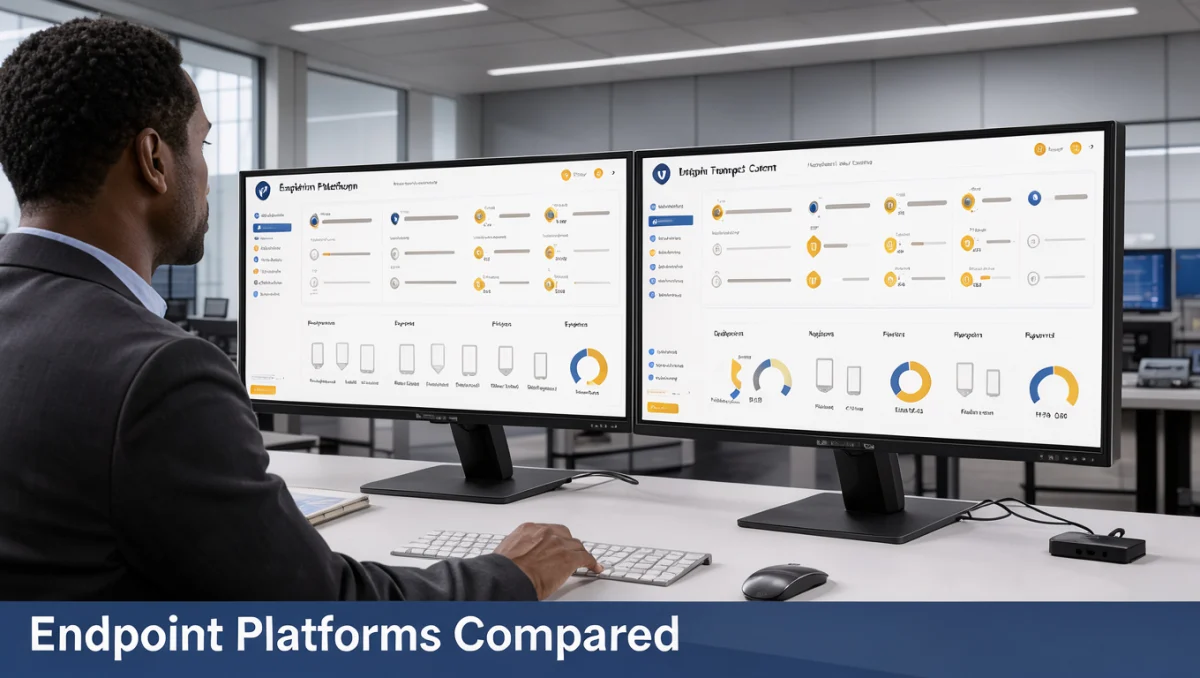
Matching the software to your organization's structure and daily commitments helps ensure it fits your team's technical capabilities.
7.1. Managed Service Providers and IT Departments
Multi-client IT consultancies and internal corporate systems teams benefit greatly from a unified remote console. Technicians can oversee hundreds of workstations across separate customer accounts, standardize troubleshooting steps, and maintain compliance without visiting physical sites.
7.2. Distributed Organizations with Remote Personnel
Companies running hybrid or fully distributed operations need proactive device oversight to keep company laptops patched and working. Centralized remote control lets internal technicians support remote staff regardless of distance.
7.3. Organizations That Should Consider Alternatives
Solo operators, informal freelance teams, and non-technical managers who only need occasional screen sharing with an outside colleague should avoid full management consoles. Straightforward meeting tools provide enough visual sharing for these cases without the administrative investment that endpoint management systems require.
8. How to Choose the Right Plan
Remote management vendors tailor subscription agreements to organizational size, number of enrolled devices, and functional needs. Because contract terms change over time, buyers should confirm specifics directly with sales representatives before committing budget.
As independent editors at Top App Review Sites, we recommend preparing an itemized operational checklist before entering commercial discussions with vendors. Comparing your deployment needs against vendor proposals helps avoid unexpected licensing costs as your environment grows.
| What to check on the official website | Why it matters |
|---|---|
| Per-device versus per-technician licensing models | Determines whether costs scale mainly with your staff headcount or your managed hardware volume |
| Included remote access utilities and add-on tools | Clarifies whether screen-sharing protocols need separate third-party licenses or extra fees |
| Contract length and renewal commitments | Affects flexibility if support requirements change across annual budget cycles |
| Administrative role permissions and auditing features | Ensures technicians operate within access boundaries aligned with internal governance policies |
| Minimum endpoint onboarding thresholds | Prevents procurement delays if the vendor requires a minimum fleet size for new accounts |
9. Frequently Asked Questions
What technical preparation is recommended before deploying remote access software?
Organizations should inventory all hardware assets, catalog administrative credentials, and set clear policies on user consent before deployment. Establishing consistent device naming conventions and security groups helps management agents organize neatly in the console from the first day of rollout.
How should buyers evaluate remote control performance across distributed offices?
Buyers should run pilot evaluations across different network environments, observing screen responsiveness, file transfer stability, and connection times under realistic bandwidth conditions. Testing during peak business hours gives the most accurate picture of the technician and end-user experience.
What administrative governance policies should teams establish for remote sessions?
Management teams should define whether technicians may access workstations without interactive user authorization, especially for executive and finance staff. Mandatory session logging, role-based technician permissions, and clear end-user notification banners preserve transparency while protecting internal privacy.
How do subscription terms scale as an organization adds more hardware?
Endpoint management subscriptions often recalculate monthly or annual fees based on total managed endpoints or active administrative seats. Buyers should confirm on the official pricing page how tiered expansion thresholds work to avoid unexpected budget increases during growth.
10. Final Verdict
Choosing software to remotely access and administer endpoints is a foundational decision for growing IT teams and managed service firms. When implemented well, centralized systems resolve technical bottlenecks, support remote workers, and reduce manual maintenance.
| Criterion | Score / 10 | Reason |
|---|---|---|
| Features | 8.5 / 10 | Provides unified remote connectivity, background administrative utilities, and fleet monitoring controls. |
| Ease of Use | 7.5 / 10 | Logical administrative navigation once onboarded, though initial configuration requires technical familiarity. |
| Pricing and Value | 7.0 / 10 | Requires commercial consultation with vendor sales teams; buyers must verify endpoint minimums directly. |
| Integrations | 7.5 / 10 | Coordinates effectively with common professional service ticketing environments and operational workflows. |
| Audience Fit | 8.5 / 10 | Purpose-built for systems administrators and support consultancies overseeing distributed device fleets. |
| Support | 7.0 / 10 | Buyers should confirm support response commitments and training resources on the official vendor portal. |
| Competitive Position | 8.0 / 10 | Maintains a distinct profile among endpoint management platforms by emphasizing centralized administration. |
| Overall score | 7.7 / 10 | Calculated average across all seven topappreviewsites evaluation dimensions. |
For mid-sized technical teams and service providers that prioritize structured device maintenance, NinjaOne offers a coherent platform for day-to-day administrative work. Smaller teams that only need simple screen sharing should check whether a basic desktop utility better fits their modest requirements.
Have questions about choosing endpoint software for your infrastructure? Contact the topappreviewsites team at https://topappreviewsites.com/contact/ or follow our software evaluations on LinkedIn at https://www.linkedin.com/company/topappreviewsites/.