

topappreviewsites may earn a commission when you buy through links on this page, at no extra cost to you. This does not affect our ratings.
Starting out with outbound prospecting can feel overwhelming, so this apollo io tutorial for beginners is built to help revenue professionals understand lead discovery, contact research, and outreach workflows step by step. Our review editors at Top App Review Sites examine sales engagement software so teams can pick the right system with confidence.
Sales intelligence platforms bring business data and structured messaging into one place. The sections below explain how to approach contact discovery, list preparation, and campaign sequencing while comparing software options in a methodical way.
Quick verdict: Apollo.io earns a 7.6 rating for teams that want prospect data and outreach tools together. It fits outbound sales reps, business development teams, and founders building pipelines. It is less suited to organizations looking for consumer marketing lists or teams that need dedicated data engineering support.
| Metric | Summary |
|---|---|
| topappreviewsites score | 7.6 / 10 |
| Best for | Sales teams and professionals who need contact data alongside direct message management |
| Not ideal for | Organizations targeting consumer retail buyers or teams that do not manage business outreach |
| Key strengths | Combines contact database searching, email scheduling, and pipeline activity tracking in one workspace |
| What to check before buying | Review official record credit allocations and sender account connection rules on the Apollo.io website |
1. How topappreviewsites Evaluated Apollo.io
We assessed what Apollo.io is designed to do, the audiences it serves, and how it stacks up against comparable tools. Our review uses seven criteria: features, ease of use, pricing and value, integrations, audience fit, support, and competitive position. Plans, prices, and usage limits change frequently, so we flag what you should confirm on the official website before purchasing. This article was researched and drafted with AI assistance, then reviewed and edited by the topappreviewsites Editorial Team.
2. What to Prepare Before You Start Apollo.io
Before launching an outbound outreach program, revenue professionals need to lay down technical and operational groundwork. Diving into prospecting without clear parameters wastes effort and can damage your communication channels. Work through the requirements below in order before you begin.
2.1. Define Your Ideal Customer Profile
An ideal customer profile describes the organizations that get real value from your product or service. Spell out firmographic criteria such as headcount range, primary industries, geographic regions, and organizational structure. Pinning these down keeps team members from spending time on poorly matched accounts.
Also identify the job titles and seniority levels that typically make purchasing decisions. Knowing whether your buyer sits in operations, marketing, finance, or engineering ensures your search filters surface relevant decision-makers instead of peripheral contacts.
2.2. Prepare Domain Authentication and Delivery Health
Outbound prospecting depends heavily on message deliverability. Engagement platforms send messages through connected business mailboxes, which requires proper domain configuration. Verify standard authentication records, including SPF, DKIM, and DMARC, before sending any outreach.
Using secondary domains for outbound communication helps protect your primary corporate domain from reputation damage. New domains should go through a gradual warm-up routine before you run high-volume sequences.
2.3. Establish Data Hygiene and Compliance Protocols
Privacy regulations in many regions govern electronic business communication. Outbound practitioners should confirm that their outreach honors regional opt-out requirements and privacy standards. Maintaining shared suppression files across the sales team prevents repeat contact with people who have asked to be excluded.
Review internal policies on data storage and record maintenance before exporting prospect records. Setting clear rules about which contact details enter your main customer relationship management system keeps your database accurate over time.
3. Getting Started Workflow for Beginners
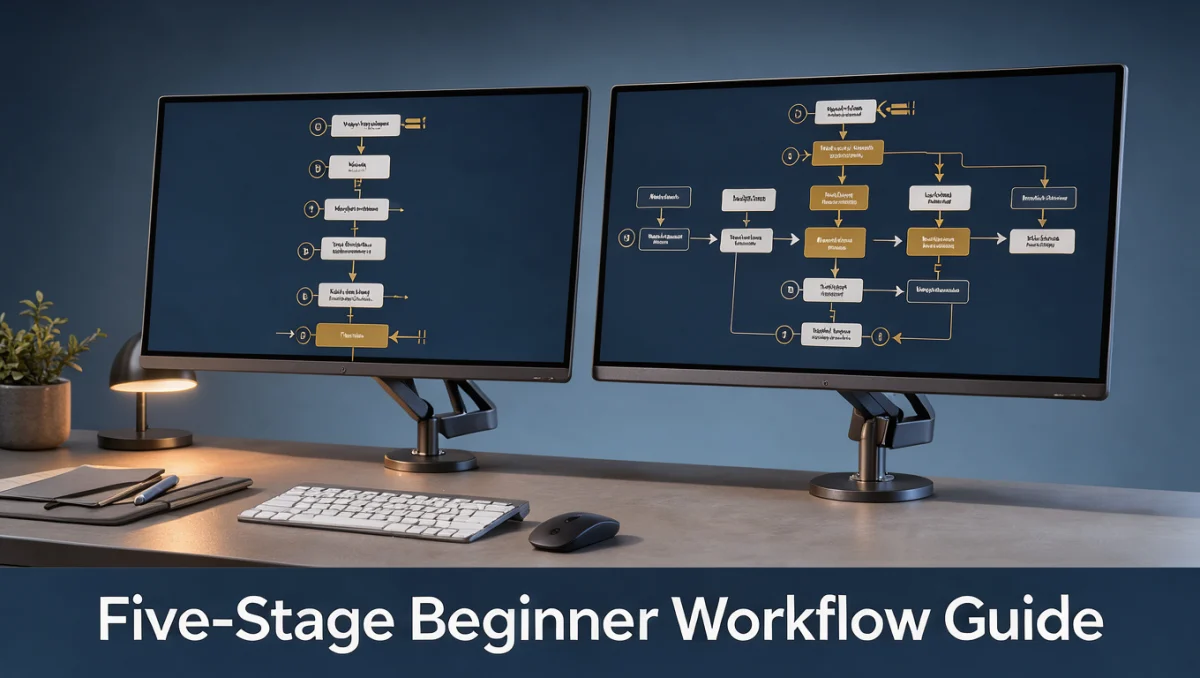
A structured operating procedure helps sales teams get more output while keeping data errors low. The five-stage workflow below shows how to move through prospecting and engagement in a systematic way.
3.1. Stage 1: Account Setup and Workspace Configuration
Start by setting workspace preferences, team time zones, and administrative controls. Connecting corporate mailboxes lets the outreach modules send messages and log inbound replies automatically. Make sure each team member connects outbound mailboxes in line with company communication policy.
Configure default tracking settings, such as link click and open tracking, to match your deliverability priorities. Many deliverability specialists recommend turning off open-pixel tracking to reduce spam filter scrutiny across strict enterprise firewalls.
3.2. Stage 2: Building Targeted Search Filters
Prospecting tools let you filter large databases using structured criteria. Begin with company-level attributes such as industry category, geographic location, and employee count band. Narrowing the account list first ensures that all later contact discovery happens inside qualified target accounts.
Next, apply person-level filters such as job title, seniority, and department. Boolean logic helps refine title searches so that non-decision-making roles drop out of your results.
3.3. Stage 3: Contact Verification and List Management
Once your filters return matching contacts, organize the records into structured target lists. Group prospects by campaign focus, event attendance, industry segment, or product line. Clear naming conventions make it easier for several sales reps to coordinate.
Sales intelligence platforms show data verification indicators alongside email addresses and phone numbers. Check these indicators before exporting or sequencing contacts to keep bounce rates low. Removing unverified or risky records protects your sender reputation over long campaigns.
3.4. Stage 4: Creating Structured Outreach Sequences
Outreach sequences organize multi-touch communication over a planned schedule. A typical sequence combines personalized emails, call prompts, social engagement tasks, and research checkpoints. Spacing these activities across sensible business-day intervals keeps engagement professional without flooding prospect inboxes.
Write message copy that addresses the prospect's business challenges rather than generic product claims. Use dynamic fields such as first name, company name, and industry to add baseline personalization across batch sends.
3.5. Stage 5: Managing Inbox Responses and Pipeline Tasks
Active campaigns generate three main types of responses: positive inquiries, referrals to other colleagues, and explicit opt-out requests. Daily pipeline management means triaging each type promptly. Positive replies should be scheduled and qualified by the assigned representative right away.
Referrals call for creating new contact entries and noting the referring colleague in follow-up notes. Unsubscribe requests must be recorded immediately in suppression tables so no further messages go out.
4. Best Practices for Sustainable Outbound Prospecting
Successful outbound prospecting takes discipline, ongoing testing, and adherence to operating standards. Research from Top App Review Sites shows that tool performance depends on sound sales execution principles.
4.1. Maintain Strict Message Personalization Standards
Templates save time, but generic bulk messages earn poor engagement and weaken brand credibility. Reserve the opening lines of each outreach message for a tailored business observation. Referencing a recent company initiative, hiring trend, or public organizational change establishes relevance before you present a solution.
Segment prospect lists into tightly defined clusters based on shared operational challenges. Writing specialized copy for each subgroup tends to outperform broad templates applied across unrelated industries.
4.2. Monitor Delivery Metrics and Sender Domain Health
Email deliverability shifts with message volume, content triggers, and recipient engagement. Managers should review bounce rates weekly and aim to keep hard bounces in the low single digits. High bounce rates signal that prospect data filters need immediate adjustment.
Spread outbound volume across several verified mailboxes rather than sending large batches from one sender account. Distributing volume keeps individual mailboxes from triggering the volume thresholds major email providers monitor.
4.3. Implement Systematic Task Management
Campaigns need consistent follow-through on every planned touchpoint. Schedule calling blocks and social engagement tasks during business hours suited to the target territory. Working through the platform task queue each day keeps leads from going stale.
Log outcomes accurately for every manual task. Categorizing call dispositions and connection results helps revenue leaders see which outreach angles and personas perform best.
5. Common Mistakes to Avoid When Using Apollo.io
New users often run into operational pitfalls that reduce campaign results or put domain reputation at risk. Review these common missteps to keep your outreach productive.
5.1. Over-Relying on Unverified Contact Information
A frequent beginner error is saving large volumes of contacts without checking verification indicators. Inaccurate corporate email addresses drive up delivery failures, which erodes mailbox reputation. Always check verification markers and purge unverified records before queuing sequences.
Phone records need the same care. Calling direct numbers without checking national or corporate do-not-call registries can expose a business to regulatory penalties.
5.2. Sending High-Volume Blasts Too Quickly
After setting up a new engagement platform, teams are often tempted to launch broad campaigns right away. Sudden surges in outbound email volume from fresh sender accounts alert spam filtering systems. Scaling daily send limits gradually over several weeks lets internet service providers recognize a healthy sending pattern.
Spread sequence steps across normal business hours rather than dispatching hundreds of messages at once. Controlled sending rates mirror natural human activity and protect inbox placement.
5.3. Neglecting Suppression Lists and Governance
Failing to centralize opt-out records leads to avoidable compliance mistakes. When a prospect asks to be removed, that exclusion has to apply to every active team member and every future campaign. Without shared suppression governance, one rep may contact someone who already unsubscribed through another rep.
Audit company-wide exclusion files regularly to confirm that opt-out syncing works across all connected sales platforms and customer databases.
6. Frequently Asked Questions
What technical foundations should a team confirm before launching outbound campaigns?
Teams should verify domain authentication records, including SPF, DKIM, and DMARC, with their DNS host. They should also set up secondary business domains and warm up sending mailboxes gradually to protect the core corporate email infrastructure.
How should buyers evaluate platform costs across sales intelligence software?
Buyers should check official pricing documentation to see how contact credits, mobile direct dials, and export allowances are structured. Subscription tiers often split features across several plans, so comparing them directly on the official pricing page is essential.
What criteria should guide the choice between specialized search databases and combined engagement tools?
Start by reviewing your existing sales technology stack. Teams that already run a dedicated engagement platform may only need database export features, while teams starting from scratch benefit from search and messaging in one software platform.
How can sales teams keep email bounce rates at safe levels?
Stick to verified contact addresses, run regular list hygiene checks, and remove outdated company records before launching multi-step sequences.
What is the most effective way to segment outbound prospect lists?
Effective segmentation groups prospects by industry, company headcount, geographic location, and specific job function. Narrow, highly relevant groups let reps write messages that speak directly to shared operational challenges.
7. Final Verdict on Apollo.io
Apollo.io offers a practical mix of prospect search and multi-channel outreach. Teams evaluating the platform can use our assessment framework below.
| Criterion | Score /10 | Reason |
|---|---|---|
| Features | 8.5 | Provides a broad combination of database search filters, contact management, and sequencing workflows. |
| Ease of Use | 7.5 | Interface requires initial study to navigate multi-layered filtering, sequence steps, and account settings. |
| Pricing and Value | 7.0 | Buyers should confirm official plan tiers and monthly credit allowances directly on the official pricing page. |
| Integrations | 7.0 | Users need to check official documentation regarding customer relationship management software synchronization. |
| Audience Fit | 8.0 | Suits outbound business-to-business sales representatives, business development teams, and founders. |
| Support | 7.0 | Assistance options and availability vary by subscription tier, requiring buyer verification on official channels. |
| Competitive Position | 8.0 | Maintains strong standing among sales engagement tools by packaging database discovery and messaging together. |
Overall score: 7.6 / 10
Guidance by User Segment
- Freelancers and Solo Consultants: Individual operators can use search filters to find target decision-makers, as long as they verify sender domain setup before launching outbound campaigns.
- Small Business Owners and Startup Founders: Growing companies get a working framework for early outbound sales without separate data vendor contracts and sequencing tools.
- B2B Marketers and SDR Teams: Outbound teams benefit from shared contact lists, centralized sequence templates, and coordination across structured pipeline stages.
- Enterprise Sales Organizations: Large organizations should check official integration parameters to confirm how contact synchronization works with extensive existing database architectures.
- Unsuitable Audiences: Direct-to-consumer businesses, retail shops, and teams seeking pre-built consumer email lists should look at alternative marketing platforms.
For more software selection advice or questions about sales technology platforms, contact our team at https://topappreviewsites.com/contact/ or follow topappreviewsites on LinkedIn at https://www.linkedin.com/company/topappreviewsites/.