Some links on this page may earn topappreviewsites a commission when you purchase through them, at no extra cost to you. This does not influence our ratings.
Teams that want organized voice communication without maintaining old-fashioned phone hardware can benefit from a clear plan. Before distributing access, it helps to understand how numbers, routing rules and call queues work together. At topappreviewsites, we look at how voice platforms support growing communication teams and note which details to confirm on official documentation.
This onboarding guide covers the core setup stages so your agents can receive, transfer and log incoming conversations smoothly. Buyers should map their internal call flows carefully before choosing a subscription level on the provider's official website.
Quick verdict: Aircall earns a 7.7/10 overall rating for teams that value structured call flows and central oversight of communication. It suits support and sales groups that want clear voice collaboration. It is less suitable for solo users who only make occasional personal calls.
| Metric | Summary |
|---|---|
| topappreviewsites score | 7.7/10 |
| Best for | Growing support and sales reps handling steady inbound and outbound calls |
| Not ideal for | Solo users who make occasional personal calls and do not need shared queues |
| Key strengths | Voice call management, collaborative routing, shared activity logs, central oversight |
| What to check before buying | Review the official plan comparison page for seat minimums and international calling rates |
1. How topappreviewsites Evaluated Aircall
This review examines what Aircall is designed to do, who it serves and how it stacks up against similar tools. We assess seven criteria: features, ease of use, pricing and value, integrations, audience fit, support and competitive position. Plans, prices and limits change frequently, so we highlight what to verify on the official website before purchasing. This article was researched and drafted with AI assistance, then reviewed and edited by the topappreviewsites Editorial Team.
Aircall is a business phone system built to centralize team conversations, route incoming inquiries and keep client communication records accessible across departments.
2. Preparing Before You Set Up Your Phone System
Good preparation prevents confusion when rolling out a company-wide phone setup. Before receiving your first live call, decide who owns each line, when lines operate and which responsibilities each agent carries.
Define Business Hours and Routing Logic
Map your team's availability before touching any settings. Decide what happens when callers reach you outside standard hours, whether that means sending them to voicemail or forwarding to on-call staff. Setting these paths early makes later routing configuration far simpler.
Take Stock of Team Roles
Group team members by their main calling tasks. Customer assistance representatives typically share queue assignments, while sales staff often need dedicated outreach lines and individual extensions. A clear internal structure makes call distribution rules easier to build.
To explore wider communication workflows, read our guide on modern Customer Service strategies before building complex call trees.
3. Step-by-Step Setup Workflow
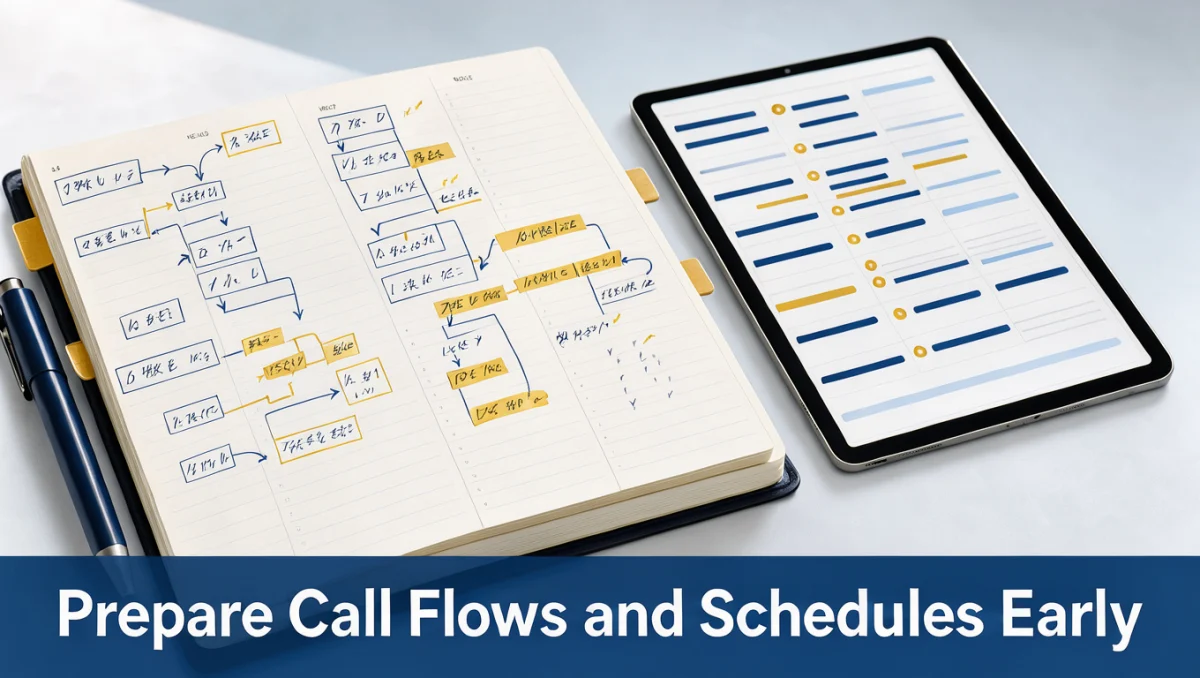
Following a structured sequence helps administrators and frontline agents onboard smoothly.
Step 1: Set Up Phone Numbers and Line Identity
Start by selecting your main company numbers in the management console. Modern voice platforms let administrators assign local or toll-free numbers depending on where clients are located. Confirm the company caller name so outgoing calls display clear corporate identification.
Step 2: Build Call Distribution Rules and Queues
Organize queues by department. Routing settings determine whether calls ring every available agent at once or cycle through agents in turn based on how long they have been idle. Setting sensible wait times prevents callers from hanging up before reaching someone.
Following this aircall tutorial for beginners helps administrators keep call flow logical from start to finish.
Step 3: Configure Voicemail and Automated Greetings
Upload clear audio greetings to guide incoming callers. Create separate messages for regular hours, holiday closures and high-volume periods. Make sure voicemail recordings point callers to alternative support channels when no one can pick up immediately.
Step 4: Grant User Access and Install Apps
Send invitations to team members so they can create their own login credentials. Ask staff to test microphone and headset connections before taking live calls. Early hardware checks help prevent echo and connection drops during important conversations.
Step 5: Test Transfers and Call Tagging
Run mock incoming calls to confirm internal transfer procedures work. Have agents practice warm transfers, where the representative briefs a colleague before handing over the conversation, as well as direct transfers. Train agents to tag completed calls with shared categories so records stay consistent.
4. Best Practices for Daily Call Management
Consistent daily habits keep voice platforms organized as call volume grows.
- Standardize call tags so the whole department classifies outcomes the same way.
- Keep shared contact records up to date to avoid duplicate client entries across queues.
- Review routing trees regularly to remove inactive assignments or outdated forwarding rules.
- Ask representatives to set clear availability statuses whenever they step away from their desks.
5. Common Mistakes to Avoid
New teams often run into avoidable problems when rolling out digital phone systems. Fixing these early oversights protects call quality and client satisfaction.
Overcomplicating the Automated Menu
Interactive voice menus with too many sequential choices frustrate prospective customers. Keep introductory menus short and clear, guiding callers directly to the right department without unnecessary delays.
Ignoring Hardware and Network Requirements
Unstable wireless connections or weak computer microphones reduce audio quality during customer conversations. Business phone platforms depend on a stable network connection, so encourage staff to use wired internet and good-quality headsets wherever possible.
6. Who Should Use Aircall
The right business phone software depends on your operating model, team size and daily call volume.
Customer Support Teams
Support departments handling steady incoming requests benefit from centralized call distribution and shared team visibility. Collaborative queues help ensure callers reach an available representative quickly.
Growing Sales Departments
Outbound sales reps managing multi-stage deal pipelines benefit from fast dialing workflows, shared contact context and centralized activity logging across accounts.
Organizations That May Need Other Tools
Single-person businesses with modest calling needs often find team-focused systems more complicated than necessary. Solo professionals may prefer simpler virtual number forwarding services. Teams looking for an all-in-one suite that combines video meetings and internal team chat can assess RingCentral or Vonage, which address wider multi-channel collaboration needs.
7. Frequently Asked Questions
How should a team prepare its network before launching internet calling?
Organizations should confirm their internet bandwidth is stable and make sure routers prioritize voice traffic over large downloads. Checking connection consistency and giving staff dedicated headsets helps prevent audio dropouts during busy periods.
What should buyers consider when budgeting beyond base subscriptions?
Buyers should account for costs tied to regional usage, international outgoing calls and extra phone numbers. Confirming exact line rates on the vendor pricing page helps avoid unexpected budget overruns.
How do administrators decide between shared queues and personal lines?
Shared queues suit departments where any available representative can answer incoming questions, such as frontline customer support. Personal extensions suit professionals managing ongoing relationships, where clients expect to reach a specific person.
Why should an organization set call tagging rules early?
Consistent call tagging lets managers classify outcomes, spot recurring client concerns and track departmental communication trends over time. Without uniform categories, activity logs are hard to interpret.
8. Final Verdict
Aircall offers clear organizational value for teams setting up structured voice communication. Its design simplifies queue management, internal transfers and collaborative call oversight for customer-facing staff.
| Criterion | Score /10 | Reason |
|---|---|---|
| Features | 8.0/10 | Provides dependable call handling, shared queues, voicemail routing and activity categorization. |
| Ease of Use | 8.5/10 | A logical interface makes training agents and managing daily workflows straightforward. |
| Pricing and Value | 7.0/10 | Buyers should verify minimum seat requirements and usage charges on the official website. |
| Integrations | 7.5/10 | Users should check the official directory to confirm compatibility with their existing tools. |
| Audience Fit | 8.0/10 | Well aligned with growing customer support teams and collaborative sales units. |
| Support | 7.0/10 | Confirm support options on the official site against your team's operating hours. |
| Competitive Position | 8.0/10 | Holds a clear market position focused on voice management compared with broader communication suites. |
Overall score: 7.7/10
For teams growing their client engagement pipelines, disciplined call workflows deliver quick gains in responsiveness. Readers can find more independent software evaluations on Top App Review Sites as they build their modern technology stack.
Have questions about choosing voice software for your team? Contact us at https://topappreviewsites.com/contact/ or connect with topappreviewsites on LinkedIn at https://www.linkedin.com/company/topappreviewsites/ to stay up to date with our latest software guides.