topappreviewsites may earn a commission when you buy through links on this page, at no extra cost to you. This does not affect our ratings.
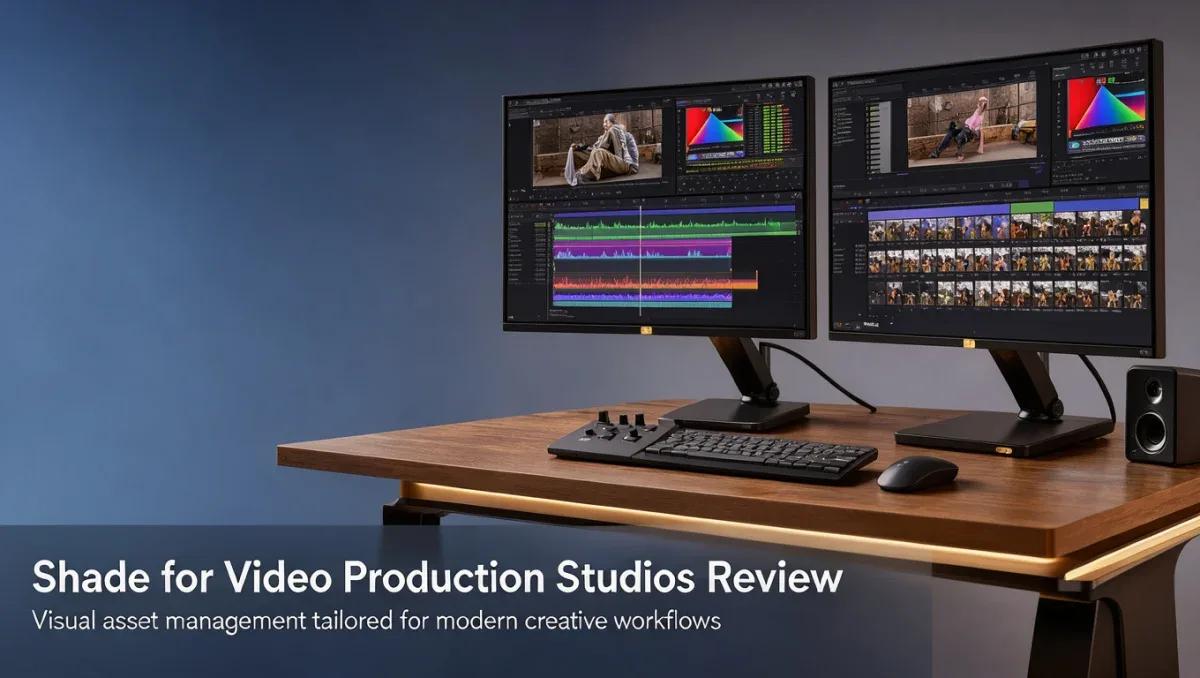
Finding the right footage quickly can make or break a production schedule. As editing teams juggle heavier project files and remote workstations, shade for video production studios is one option worth examining for organizing and retrieving visual assets. In this guide from Top App Review Sites, we look at where it fits into today's post-production workflows.
Many creative teams lose hours to scattered storage volumes, unlabeled archive drives, and missed delivery deadlines when their media libraries have no visual structure. Modern indexing methods, including some tools built on Artificial Intelligence research, aim to bring order to raw footage, motion graphics, and audio files.
Quick verdict: Shade earns a topappreviewsites score of 7.7 / 10 for studios that need visual search and asset organization spanning local and cloud storage. It suits boutique studios and post-production houses managing complex media libraries, though it is less ideal for teams that need built-in client approval workflows and real-time timeline markup.
| Evaluation Dimension | Summary Details |
|---|---|
| topappreviewsites score | 7.7 / 10 |
| Best for | Boutique video production studios, post-production houses, and creative teams managing large media drives |
| Not ideal for | Teams requiring integrated frame-accurate client review and approval suites |
| Key strengths | Visual media cataloging, neural visual search, and decentralized file indexing |
| What to check before buying | Confirm user seating structures and cloud storage sync policies on the official Shade website |
1. How topappreviewsites Reviewed Shade

This review covers what Shade is designed to do, who it serves, and how it stacks up against similar tools. We assessed it on seven topappreviewsites criteria: features, ease of use, pricing and value, integrations, audience fit, support, and competitive position. Plans, prices, and limits change frequently, so we flag what to confirm on the official website before purchasing. This article was researched and drafted with the help of AI tools, then reviewed and edited by the topappreviewsites Editorial Team.
2. What is Shade and who is it for
Shade is visual asset management software built for creative departments, motion designers, and video teams. Instead of treating media as generic documents in standard folder hierarchies, it emphasizes visual representation, metadata enrichment, and fast local file indexing. The platform targets the friction editors face when they spend productive hours hunting for unlabeled b-roll, project files, and sound effects scattered across multiple hard drives.
The software is aimed mainly at small-to-midsize creative agencies, commercial video houses, and independent production teams. These environments need reliable retrieval without the administrative overhead of broadcast-grade media asset management systems. Teams searching for shade for video production studios typically want an organized hub that bridges high-speed local drives and collaborative pipelines.
| Audience Profile | Primary Production Need |
|---|---|
| Commercial video boutiques | Fast retrieval of b-roll and client project archives across local servers |
| Motion graphic teams | Categorization of 3D elements, textures, and vector graphics |
| Independent post-production houses | Visual indexing across multi-terabyte network storage without complex IT setups |
3. What Shade helps you do
Shade's core functions revolve around indexing, locating, and distributing media assets throughout production cycles. Understanding these areas helps studio leads judge whether the software fits their daily workflow.
3.1. Visual asset indexing and cataloging
Shade generates visual previews and maintains an index of creative assets across connected drives. Studios can browse project folders visually, letting assistant editors scan raw takes, graphic elements, and audio files without opening an editing suite. When evaluating this capability, test how Shade handles multi-codec footage directories and measure processing overhead on local machines during heavy ingest sessions.
3.2. Content discovery and visual search
Locating specific shots by visual description rather than strict file names is a common post-production bottleneck. Shade includes descriptive search that analyzes visual content, color palettes, and embedded characteristics. Try searching abstract descriptors across unorganized stock folders to see how accurately the catalog returns target footage compared with manual browsing.
3.3. Multi-drive and distributed storage management
Video production relies on decentralized storage, from fast solid-state editing drives to shared network-attached storage and cold archive volumes. Shade tracks files across these locations and shows visual representations even when a physical drive is detached. Studio administrators should confirm how reconnecting drives updates file paths across team workstations.
4. Ease of use and learning curve
Asset management tools often meet resistance from creative staff when folder structures or tagging demand tedious manual entry. Shade uses an intuitive layout geared toward visual creators, favoring large thumbnails and fluid browsing over spreadsheet-style data grids. Editors used to visual file managers will need minimal retraining to get comfortable with the core interface.
The learning curve steepens when configuring shared team repositories and establishing tagging conventions across multiple operators. Browsing is simple, but keeping metadata consistent across editors requires deliberate studio guidelines. Because media platforms often depend on structured ingestion protocols, production leads should budget orientation time so every editor tags incoming projects the same way.
| Operational Area | Learning Curve Level | Primary Studio Requirement |
|---|---|---|
| Asset browsing and visual search | Low | Familiarity with standard operating system file browsers |
| Metadata and tag organization | Moderate | Established studio taxonomy guidelines |
| Multi-seat storage synchronization | Moderate | Basic knowledge of network storage paths and permissions |
5. A two-week evaluation plan for Shade
Before rolling out new asset management tools across active client projects, studios benefit from a disciplined verification plan. This two-week schedule helps teams validate the software without disrupting ongoing deliveries.
- Days 1–3: Local asset ingestion and baseline indexing. Connect Shade to a representative sample of completed project drives. Observe how quickly it indexes varied video formats, graphics, and audio files, and note system responsiveness during background indexing.
- Days 4–7: Visual retrieval and real-world search testing. Ask assistant editors to locate specific b-roll clips, motion graphic assets, and audio cues using descriptive queries. Record search accuracy and identify where visual indexing saves editorial time.
- Days 8–14: Multi-seat collaboration and workflow friction checks. Add more team workstations to the test catalog. Verify how file paths resolve across workstations, evaluate drive reconnection behavior, and confirm overall stability.
6. Where Shade shines and where it may fall short
Evaluating creative software means weighing specialized strengths against production trade-offs. The table below outlines where Shade performs well and where studio requirements may exceed its design scope.
| Area | Shines when | May fall short when |
|---|---|---|
| Footage discovery | Studios manage massive libraries of uncaptioned b-roll and visual assets | Projects rely strictly on frame-accurate timecode logs and speech transcripts |
| Drive management | Creative assets reside across local and network-attached storage volumes | Studios mandate unified single-cloud repositories without local copies |
| Collaboration focus | Internal creative teams need fast visual file access across workstations | Clients demand integrated web-based approval links with drawing tools |
7. Shade compared with similar tools
Choosing media cataloging software means understanding how each market option positions its core capabilities. The table below compares Shade with two alternatives and their established focus areas.
| Tool | Best for | Core focus |
|---|---|---|
| Shade | Creative studios needing visual search across local and hybrid storage | Visual asset indexing and decentralized media cataloging |
| Frame.io | Post-production teams requiring frame-accurate client reviews | Collaborative video review, timecode commenting, and approvals |
| iconik | Larger media enterprises managing hybrid cloud infrastructure | Enterprise media asset management and deep archive orchestration |
8. Who should use Shade
Studio structures vary widely based on team size, output volume, and client interaction. The breakdown below shows which organizations gain the clearest value from Shade.
| User Group | Suitability | Key Considerations |
|---|---|---|
| Boutique video production studios | High | Streamlines b-roll discovery across shared local editing drives |
| Motion graphics and VFX artists | High | Organizes expansive collections of 3D models, textures, and visual clips |
| Corporate marketing video teams | Moderate | Helpful for internal footage retrieval, though cloud access policies must be confirmed |
| Large broadcast television networks | Low | Typically require enterprise broadcast management with specialized automation hooks |
| Solo video freelancers | Moderate | Provides visual cataloging, though simpler folder organization may suffice for small drives |
9. Pricing at a glance
Software purchasing decisions depend on understanding operating costs beyond advertised figures. Before committing financially, creative directors should check the following on the official vendor channels.
- Seat counts and administrative roles. Review the official Shade pricing page to see whether collaboration requires a paid seat for every editor or whether read-only catalog browsing is available at certain account levels.
- Cloud storage and sync parameters. Investigate how cloud indexing capacity is structured, especially if your studio plans to share visual metadata catalogs across remote workstations.
- License terms and payment cycles. Check whether licensing bills monthly or annually and confirm any commitments before onboarding your team.
10. Frequently asked questions
Which studio setups benefit most from Shade?
Video production studios with substantial archives of unindexed b-roll, motion graphic elements, and commercial stock benefit significantly. When teams lose billable hours searching for past footage across disconnected external drives, visual indexing delivers immediate savings.
What storage infrastructure should a studio maintain before using Shade?
Studios should keep organized local, direct-attached, or network-attached storage with consistent file naming habits. Although Shade indexes diverse formats, structured storage paths prevent assets from disconnecting when multiple editors access shared network volumes at once.
Should video production studios replace their review and approval platforms with Shade?
Shade focuses mainly on asset management, visual discovery, and cataloging rather than client-facing review. Most studios keep dedicated review tools for timecode-specific client notes and use Shade for internal media retrieval and organization.
What factors should teams test during an evaluation period?
Editorial teams should measure background processing performance during large video ingests, verify the accuracy of descriptive visual queries, and check how catalogs for detached drives behave across different editing workstations.
11. Final verdict
Shade offers a focused visual cataloging system that addresses a core creative pain point: finding specific visual assets quickly without cumbersome manual tagging. For boutique production houses and creative studios managing extensive archives across hybrid storage, it delivers meaningful workflow efficiencies.
| Criterion | Score /10 | Reason |
|---|---|---|
| Features | 8.1 / 10 | Strong visual indexing and media discovery capabilities suited for creative video assets. |
| Ease of Use | 6.9 / 10 | Clean visual layout, though team-wide metadata consistency requires internal studio discipline. |
| Pricing and Value | Confirm before buying | Review the official Shade pricing page to verify seat allocations and storage parameters. |
| Integrations | Confirm before buying | Confirm integration pathways with your existing video editing and storage hardware on the vendor site. |
| Audience Fit | 8.5 / 10 | Exceptionally well-tailored to the needs of boutique video houses and motion design teams. |
| Support | Confirm before buying | Examine available customer support channels and technical documentation on the official website. |
| Competitive Position | 7.3 / 10 | Distinct visual asset focus compared to client-review-centric platforms like Frame.io. |
| Overall score | 7.7 / 10 | Calculated average of scored criteria reflecting strong utility for visual media management. |
Studios managing distributed drives and growing b-roll libraries will find Shade a targeted cataloging utility. Larger enterprise broadcasters, or teams primarily seeking client approval tools, should verify whether their needs call for specialized broadcast systems instead.
Have a question about choosing software? Send it to the Artificial Intelligence team through our contact page or follow topappreviewsites on LinkedIn for new reviews and comparisons.