Affiliate disclosure: topappreviewsites may earn a commission when you buy through links on this page, at no extra cost to you. This does not affect our ratings.
Running live group sessions inside a member community can cut down on app-hopping and keep conversations in one place. Still, the choice between built-in broadcasting and separate meeting tools depends on your admin workload and budget. Here is an independent look at whether circle so live events fit your organization, from Top App Review Sites.
Quick verdict: Circle earns 7.9 out of 10 for hosting community sessions. It suits educators, community managers, and cohort organizers who want video calls tied to forum discussions, while teams that need external webinar funnels or heavy video conferencing hardware may prefer dedicated meeting platforms.
| Metric | Evaluation |
|---|---|
| topappreviewsites score | 7.9 / 10 |
| Best for | Community operators, course instructors, and membership organizers who run group sessions inside an ongoing member space. |
| Not ideal for | Operators who only need one-off public webinars or technical enterprise video conference routing. |
| Key strengths | Unified member directory, direct transition from live calls to forum conversations, and streamlined session scheduling. |
| What to check before buying | Review the official Circle plan comparison page for streaming participant caps, storage allotments, and administrative role boundaries. |
1. How Top App Review Sites Reviewed Circle
This review examines what Circle is built to do, who it serves, and how it stacks up against similar tools. We used the seven topappreviewsites criteria: features, ease of use, pricing and value, integrations, audience fit, support, and competitive position. Plans, prices, and limits change often, so we flag what to confirm on the official website before buying. This article was researched and drafted with AI assistance, then reviewed and edited by the topappreviewsites Editorial Team.
2. What Circle Is and Who It Is For
Circle is an online community platform for hosting discussions, educational materials, group chats, and real-time interaction in a private digital space. Rather than scattering conversations across third-party chat apps, email threads, and separate conference rooms, it organizes engagement through structured channels, spaces, and member profiles. Many community platforms leave video hosting to outside software, but running sessions natively keeps participants in the same environment where they access courses and chat groups.
The platform mainly serves creators, professional associations, coaching practices, and independent schools that rely on recurring member participation. Within the wider Collaboration & Productivity software category, combining community discussion with direct video removes context switching for students and members. Leaders can run weekly check-ins, office hours, and lectures without sending a new meeting link for every calendar entry.
Buyers should understand that live functionality is one feature within a broader community management system, not a standalone video conference tool. If you do not plan to maintain persistent discussion spaces, member profiles, or asynchronous posts, a full community engine built only for occasional video calls may add unnecessary complexity.
3. Core Features of Circle Live Events
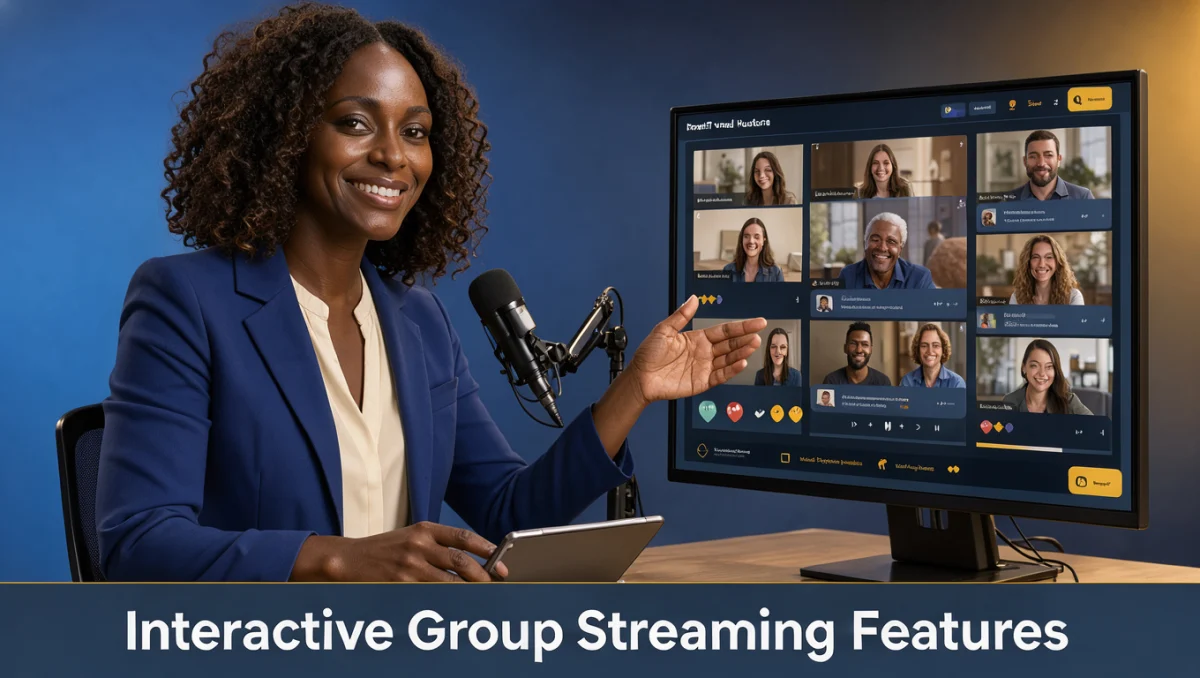
Live event tools inside community platforms bridge the gap between static content and real-time interaction. In Circle, live gatherings connect directly with existing spaces, preserving context before, during, and after each call.
3.1. Interactive Broadcasting and Attendee Stages
Community gatherings need flexibility between lecture delivery and audience participation. Circle lets session leads present material, share their screen, and invite members onto a virtual stage. This setup separates community engagement from traditional one-way broadcasts, since attendees can raise their hands and become active contributors.
During a live call, attendees can join via text chat, submit written questions, and react in real time. Because attendee identities match their community profiles, hosts can recognize members immediately without asking them to type full names into temporary chat fields. For interactive workshops and cohort sessions, this consistent identity helps facilitators tailor guidance to specific members.
3.2. Event Scheduling and Calendar Management
Organizing member gatherings involves calendar distribution, time zone coordination, and registration tracking. Circle includes built-in event spaces where administrators can post descriptions, set recurring schedules, and collect RSVPs. Members can browse upcoming events, view agendas, and add sessions directly to their own external calendars.
Automated reminders reduce the manual work of notifying attendees before sessions start. When an event goes live, members browsing the community receive in-app alerts that point them to the stream. Managing the calendar inside the platform avoids broken or outdated meeting links and keeps private sessions limited to verified community members.
3.3. Embedded Recordings and Post-Session Discussions
A common friction point in virtual education is the delay between ending a live call and publishing its recording. Circle automates part of this workflow by generating recordings that administrators can place directly into designated community spaces, keeping replays next to the ongoing conversation thread.
Members who missed the live stream can watch the playback, read the chat summary, and leave comments beneath the video. By preserving questions and answers in public forum spaces, organizers build a growing knowledge base that serves current members and future cohorts.
4. Ease of Use and Learning Curve
Circle offers a clean, modern interface that resembles familiar social and workspace discussion tools. Members generally face minimal friction joining sessions, since video calls launch in a standard web browser window without separate software downloads or complicated audio setup.
For administrators and community builders, setting up events requires understanding how spaces, permissions, and notifications relate to one another. Creating an event space follows straightforward menu prompts, but coordinating privacy controls across several membership tiers takes careful planning. The admin dashboard separates general community management from live stream settings, which helps managers configure events without getting lost in technical menus.
The learning curve steepens when managers add multi-host broadcasts or attempt complex external audiovisual routing. Basic screen sharing and microphone control stay accessible for non-technical hosts, but integrating external production switchers requires learning standard broadcast protocols. Teams moving from dedicated meeting tools should budget time to rehearse stage management and chat moderation before hosting high-visibility sessions.
5. Pros and Cons of Circle Live Events
Evaluating any community software means honestly weighing its trade-offs. Keeping live sessions inside a community platform offers clear organizational benefits, but it also has limits compared with specialized broadcast engines.
- Pros:
- Consolidates discussions, courses, member directories, and live video into a single login environment.
- Maintains member identity during video calls, linking live interactions to forum history.
- Reduces manual administrative work by routing session replays directly into community archives.
- Removes the need for attendees to install third-party desktop meeting clients.
- Cons:
- Advanced production features such as custom lower thirds or breakout rooms may require external tools or specialized setups.
- Participant limits and streaming hours vary across subscription tiers, so verify them on the official website.
- Dedicated enterprise teleconferencing platforms offer deeper global dial-in options for low-bandwidth participants.
- Exporting attendee chat data or detailed engagement logs can take more administrative effort than using specialized analytics tools.
6. Circle vs Similar Community Platforms
Comparing Circle with alternatives clarifies which architecture fits your goals. Each platform takes a different view of how community interaction, online courses, and live broadcasting should work together.
| Platform | Target Audience | Core Focus | Consideration Factor |
|---|---|---|---|
| Circle | Creators, educators, and membership operators. | Unified discussions, courses, and native group streaming. | Best when ongoing asynchronous discussion matters as much as the live call itself. |
| Mighty Networks | Community-led brands and extensive digital networks. | Algorithmic activity feeds, sub-groups, and community networking. | Consider when hierarchical sub-networks and broad member-to-member discovery take priority. |
| Kajabi | Online course businesses and digital product sellers. | Marketing funnels, email automation, and structured digital products. | Consider when sales pages, checkout funnels, and marketing pipelines are the core requirement. |
| Teachable | Individual instructors and solo course creators. | Curriculum delivery, student quizzes, and course monetization. | Consider when simple course publishing matters more than continuous group conversation. |
Mighty Networks organizes communities around structured networks, dynamic feeds, and sub-groups. Its architecture supports wide networking for distributed organizations, while Circle centers on modular spaces and straightforward forum navigation. Both include live video, but hosts should decide whether an algorithmic activity feed or a modular structure better encourages member dialogue.
Kajabi and Teachable focus on selling and delivering educational content through structured courses and automated funnels. They support digital training well, but their emphasis is on course delivery and transactions. Circle takes a community-first approach, prioritizing spontaneous peer engagement, office hours, and continuous group conversation over marketing funnels.
7. Who Should Use Circle Live Events
Different business models and organization sizes call for different software priorities. Reviewing common scenarios helps determine whether this platform matches your day-to-day needs.
- Cohort-Based Course Instructors: Facilitators guiding groups through multi-week programs benefit from hosting lectures, weekly critiques, and discussions in one platform. Keeping assignments, discussions, and live office hours in adjacent spaces reduces student drop-off.
- Professional Communities and Associations: Industry groups and peer networks that run regular masterclasses, guest panels, and networking lounges benefit from unified member profiles. Participants can connect before an event, interact during the presentation, and continue conversations in related forum threads.
- Coaches and Masterminds: Small-group coaching practices running recurring sessions can centralize scheduling, private notes, and recorded calls without sending separate video invites every month.
- Solo Operators Needing Simple Video Calls: Independent consultants who only need occasional one-on-one calls with clients, without managing an ongoing group forum, will likely find dedicated meeting software simpler and more economical.
- Enterprise Webinar Organizers: Teams that need lead generation funnels, automated registration sequences for cold audiences, and global telephone dial-in numbers should consider enterprise webinar tools built for mass marketing.
8. How to Choose the Right Plan for Live Community Events

Subscription tiers for community platforms differ in administrative capacity, live video limits, and specialized features. Rather than guessing which tier fits, buyers should compare their operational needs against the official plan details.
| What to Check on the Official Pricing Page | Why It Matters | Who It Matters Most For |
|---|---|---|
| Live stream participant limits | Plans set caps on the maximum number of simultaneous participants on stage and in the audience. | Growing communities planning all-hands gatherings or high-volume workshops. |
| Monthly streaming hours allocation | Total broadcast time is often limited per billing cycle, so frequent calls can exceed the included allocation. | Daily cohort programs, active coaching masterminds, and intensive workshops. |
| Storage capacity for event recordings | High-definition recordings accumulate quickly and consume hosting storage for historical playback. | Educational programs that archive extensive libraries of past masterclasses. |
| Administrative seats and moderator roles | Managing stage transitions and chat moderation requires distinct permissions for team members and co-hosts. | Organizations with distributed teams, guest speakers, and dedicated chat moderators. |
| Custom branding and white-labeling | Removing vendor branding from event spaces and video frames helps maintain a distinct organizational identity. | Established commercial brands and corporate training divisions. |
When selecting a plan, estimate the average monthly hours you plan to stream. Include rehearsals, recurring weekly office hours, and monthly special events. Exceeding streaming limits can cause unexpected costs, so calculating your operating rhythm in advance helps you pick the right tier.
Also evaluate how many team members will help moderate live calls. If sessions regularly involve guest presenters or community managers watching chat, confirm on the official Circle pricing page how many moderator seats each plan includes. Adequate admin access prevents account sharing and keeps backstage coordination smooth during critical events.
9. Frequently Asked Questions
What equipment is required to host live community sessions?
Session leaders need a modern computer with a working webcam, a microphone (built-in or external), and an updated web browser. A stable, high-speed internet connection is essential for video quality and audio clarity. For a more polished presentation, a dedicated USB microphone and proper desk lighting make a noticeable difference for attendees.
How should organizers budget for live community software?
Budget for the core platform subscription and any secondary costs. These may include external calendar tools, third-party video editing software for repurposing sessions, and audiovisual hardware for presenters. Checking the official pricing details helps confirm that team size, streaming hours, and storage limits fit your recurring budget.
How do community platforms manage live attendee moderation?
Administrators monitor incoming chat messages, manage hand-raise queues, and promote selected participants to the stage. Disruptive participants can be muted or removed by designated moderators. Setting clear community guidelines before large public sessions helps team members enforce standards consistently.
Why should an organization keep event recordings inside a community space?
Storing recordings in the community platform keeps video links from getting buried in external channels or lost in email. Members can find past lectures alongside related course material and discussion threads. This consolidation encourages long-term engagement and helps new members get value from earlier sessions without leaving the community.
10. Final Verdict on Circle Live Events
Circle offers a coherent approach to digital community management by embedding live group broadcasts within its organized discussion framework. For education businesses, professional associations, and membership networks, removing the friction of third-party video links creates a more focused member experience. When comparing community platforms with specialized webinar software, use the Collaboration & Productivity reviews on Top App Review Sites as a reference point.
| Criterion | Score / 10 | Reason |
|---|---|---|
| Features | 8.5 / 10 | Native stage management, attendee chat, and automated recording integration cover core community interaction well. |
| Ease of Use | 8.2 / 10 | Browser-based participation removes download requirements for members, though multi-host staging takes some admin practice. |
| Pricing and Value | 7.2 / 10 | Consolidates software subscriptions, but buyers must verify live streaming allowances on the official pricing page to avoid overages. |
| Integrations | 7.0 / 10 | Connects with essential workflow tools, though organizations should review the official documentation for specific automation connections. |
| Audience Fit | 8.8 / 10 | Closely aligned with cohort educators, membership creators, and professional networks that prioritize continuous community interaction. |
| Support | 7.4 / 10 | Help documentation and community forums assist administrators, with dedicated assistance varying across official tiers. |
| Competitive Position | 8.0 / 10 | Stands out as a modern, space-based alternative to traditional course portals and complex enterprise teleconferencing software. |
Overall score: 7.9 / 10
For independent educators, creators, and community organizers, Circle provides an effective platform that unifies live streaming with ongoing discussion. If your business depends on frequent, high-touch engagement and shared learning cohorts, the native live event features reduce the need for extra tools. Teams that mainly run external marketing webinars or enterprise boardroom meetings should look at dedicated video conference alternatives.
Have questions about choosing community software for your team? Send them through the Top App Review Sites contact page or follow topappreviewsites on LinkedIn for ongoing software reviews and operational guides.