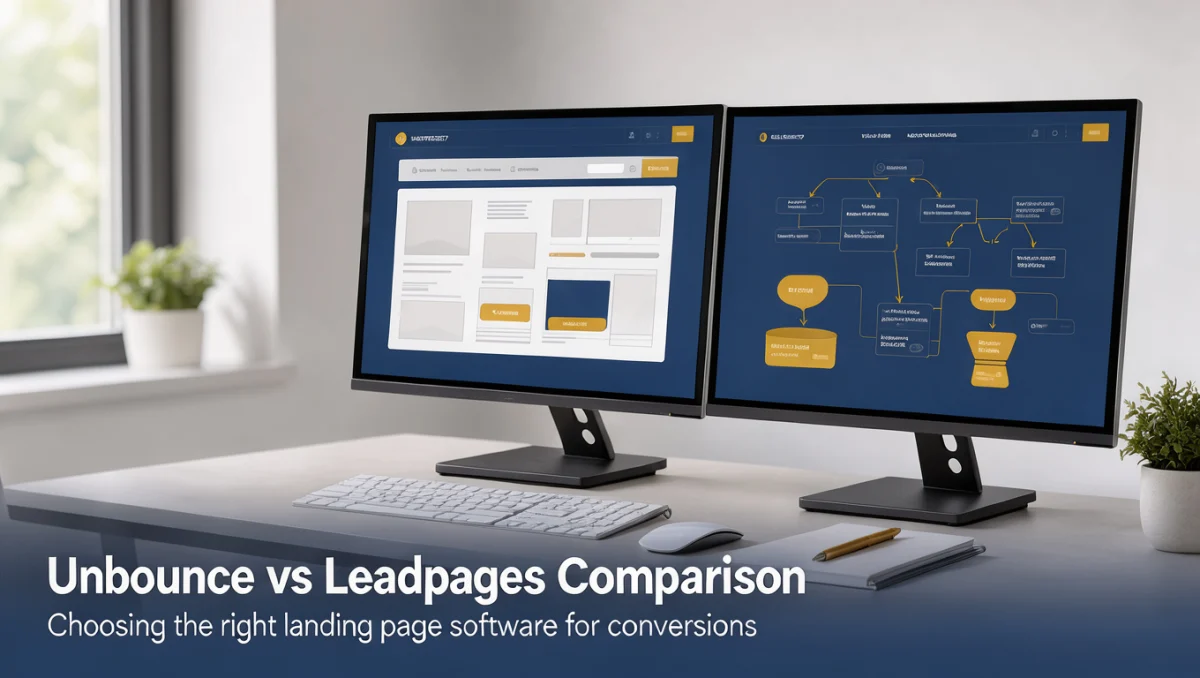
Choosing a landing page tool is rarely simple, and unbounce vs leadpages is one of the most common comparisons marketers face today. Both platforms turn visitors into leads, but they are built around different priorities. Top App Review Sites has put together this breakdown to help you decide which one suits your workflow.
At its core, the decision depends on how much creative control you need versus how quickly you need pages live. One builder rewards careful design work and precise testing, while the other removes friction so anyone can publish a lead page in an afternoon.
Quick verdict: Our overall score for the unbounce vs leadpages decision is 7.9/10. Unbounce favors performance marketers who need deep layout adjustments, while Leadpages suits small business owners and creators who want fast, low-effort launches.
| Metric | Evaluation Summary |
|---|---|
| topappreviewsites score | 7.9/10 |
| Best for | Marketing teams wanting granular layout control and conversion experimentation |
| Not ideal for | Operators who want a single all-in-one content site builder without dedicated landing pages |
| Key strengths | Specialized conversion design tools and focused lead generation workflows |
| What to check before buying | Confirm user seating rules and monthly traffic limits on official vendor pages |
1. How Our Team Reviewed Unbounce and Leadpages
We assessed what each platform is designed to do, who it serves, and how it stacks up against comparable tools. Our review covers seven criteria: features, ease of use, pricing and value, integrations, audience fit, support, and competitive position. Plans and limits change frequently, so always confirm current details on the official website before purchasing. This article was researched and drafted with AI assistance, then reviewed and edited by the Top App Review Sites Editorial Team.
2. Quick Comparison and Positioning Overview
Knowing where each platform focuses its development makes it easier to match software to your needs. Both tools sit in the conversion optimization category, but they serve distinct niches within it.
| Tool | Best for | Core strength | Consider if |
|---|---|---|---|
| Unbounce | Agencies and performance marketers | Granular visual editing and variant experimentation | Your campaigns require precise pixel placement and layout variations |
| Leadpages | Small business owners and solo entrepreneurs | Structured templates and quick lead publishing | You need straightforward lead collection assets launched in minimal time |
Unbounce is a dedicated landing page optimization platform built to help marketers create, publish, and test tailored campaign pages. Its focus is layout freedom, letting teams build pages that line up closely with paid ad sets and targeted promotions.
Leadpages is a lead generation system offering templates for landing pages, alert bars, and pop-up forms. It targets creators and small businesses that want an online presence and contact capture without wrestling with detailed design mechanics.
3. Features for Landing Page Creation
Each platform offers distinct design tools that shape how teams build campaigns. Comparing feature sets means looking at how each handles page construction, conversion assets, and visitor tracking.
3.1. Page Building Mechanics
Unbounce uses a visual design system that lets creators position elements freely across desktop and mobile views. Marketers can build distinctive brand experiences, adjust margins manually, and tailor mobile layouts independently of desktop versions. For businesses spending heavily on paid traffic, this control helps align ad copy precisely with page content.
Leadpages uses a structured, grid-based editor. Content blocks snap into defined rows and columns, so pages stay mobile-responsive automatically. The structure limits manual placement, but it prevents layout breakage and cuts formatting time for non-technical creators.
3.2. Conversion and Lead Capture Elements
Lead generation relies on sticky bars, pop-up forms, and multi-step opt-in boxes to engage prospects. Leadpages includes native components for capturing subscriber details across many touchpoints, including pop-ups that can be embedded on external websites.
Unbounce offers focused tools for targeted overlays and dynamic text insertion, so campaign creators can swap keywords automatically based on search queries. Many modern platforms also draw on broader Artificial Intelligence techniques to suggest copy and generate variants, so it is worth checking each provider's website for current creative tooling.
4. Ease of Use and Campaign Workflow

A tool's learning curve directly affects how fast your team can deploy campaigns. Deciding between flexible customization and structured simplicity shapes how quickly you go live.
4.1. Visual Canvas and Editing Experience
Working in Unbounce feels closer to professional graphic design software. Users who want full creative autonomy can place elements anywhere on the canvas. That freedom, however, means spending extra time refining mobile views to avoid overlapping text or misaligned buttons.
Leadpages offers a simpler flow: choose a pre-formatted design, replace the placeholder text, and connect your form destination. Because the layout engine keeps pages responsive within set rules, builders can publish functional pages quickly without deep design experience.
4.2. Template Management
Both platforms provide large template libraries sorted by goal, such as lead generation, webinar registration, and sales promotion. Leadpages arranges templates by past conversion performance within its ecosystem, giving non-designers dependable starting points. Unbounce provides templates built around agency and client campaign structures that serve as foundations for custom branding.
5. Pricing Structure and Value Assessment
Landing page subscriptions vary by usage thresholds, account capabilities, and access rights. Understanding what drives cost helps buyers plan a sustainable software budget.
5.1. Cost Drivers in Landing Page Software
Vendors adjust subscription tiers based on several operational factors:
- Visitor traffic volumes, including monthly page views or unique visitors.
- The number of published domains and active landing pages allowed per account.
- Collaborative team access, such as separate user seats and client account management.
- Access to advanced experimentation capabilities, including multivariate testing.
Before committing, confirm on the official Unbounce pricing page and the official Leadpages pricing page which caps apply to visitor counts and domain connections.
5.2. Evaluating Long-Term Return on Investment
Real value comes from weighing team time against conversion results. When a business runs high-budget ad campaigns, the ability to lift conversion rates through deep page customization can offset higher platform fees. Businesses with modest traffic often find more value in affordable, structured solutions that need minimal upkeep.
6. Integrations and Marketing Stack Fit
Landing page builders need to communicate smoothly with email marketing platforms, CRMs, and payment gateways. Confirming your new tool fits your existing stack prevents operational friction.
6.1. Data Handoff and Automation
When a visitor submits an opt-in form, the software sends contact details to an email provider or database. Both Unbounce and Leadpages offer standard connections to major email marketing platforms and automation services. Still, confirm on each vendor's official website whether direct integrations exist for your specific CRM or whether webhook connections are required.
6.2. Analytics and Tracking Capabilities
Performance marketers need to install tracking scripts, conversion pixels, and analytics tags. Both platforms accept tracking code through header and footer settings. Unbounce provides reporting dashboards designed for split-test evaluation, while Leadpages offers clear lead tracking that summarizes submission rates.
7. Audience Fit and Team Requirements
Matching software to your team's composition prevents unnecessary complexity and workflow bottlenecks. Different business structures benefit from different page-building approaches.
7.1. Performance Marketers and Agencies
Unbounce is built for performance marketers, conversion rate optimization specialists, and digital agencies. These users need deep control over visual presentation, dynamic keyword insertion to match search ads, and the ability to test several page versions at once for client campaigns.
7.2. Solo Creators and Local Businesses
Leadpages suits independent consultants, local businesses, educators, and content creators. These operators often juggle many responsibilities and need a reliable way to collect newsletter signups, sell consultations, or promote local services without managing complex web development projects.
7.3. Organizations Requiring Complex Web Ecosystems
Neither tool replaces a full content management system or enterprise e-commerce platform. Companies that need hundreds of interlinked blog posts, multi-tier user logins, or large product catalogs should look to dedicated web infrastructure rather than stand-alone landing page tools.
8. Customer Support and Platform Reliability
Reliable access and competent troubleshooting keep campaigns running smoothly. Campaign managers should weigh support structures before launching critical promotional periods.
8.1. Support Channels to Verify
Support levels vary by subscription tier. Before buying, check the official Unbounce and Leadpages websites to see which plans include live chat, email ticketing, or scheduled phone support, and note the hours for each channel.
8.2. Documentation and Self-Service Resources
Both platforms maintain extensive knowledge bases, video walkthroughs, and marketing resource libraries. Self-service documentation helps teams resolve formatting questions, configure custom domain records, and troubleshoot form submission settings on their own.
9. Competitive Position in the Landing Page Market
The landing page market includes several dedicated alternatives, such as Instapage and ClickFunnels, along with native page builders inside broader marketing hubs like HubSpot. In this landscape, Unbounce holds its place with conversion experimentation specialists, while Leadpages stays focused on accessible lead generation for resource-conscious businesses.
10. How to Decide Between Unbounce and Leadpages
The right choice depends on an honest look at your technical skills, ad spend, and marketing workflow. A structured checklist makes the decision much clearer.
10.1. Evaluation Checklist
| Evaluation Factor | Unbounce Focus | Leadpages Focus |
|---|---|---|
| Design Freedom | High, open visual canvas | Structured, template-guided |
| Setup Speed | Requires time for manual positioning | Rapid, pre-formatted publishing |
| Campaign Type | Targeted paid ad conversions | Lead magnets and simple service sales |
| Skill Requirement | Basic understanding of design principles | Accessible for complete beginners |
10.2. Decision Steps
- Identify your primary traffic source: If most traffic comes from targeted paid ads that require precise ad-to-page alignment, lean toward Unbounce.
- Evaluate your team's bandwidth: If you lack a dedicated designer and need lead pages live within hours, lean toward Leadpages.
- Examine external tools: List your email marketing, analytics, and CRM services, then verify compatibility on each official software site.
- Review monthly visitor projections: Compare expected web traffic against the visitor allowances listed on official plan pages.
11. Frequently Asked Questions
How should buyers evaluate page load speed between landing page builders?
Test sample templates with standardized website performance tools to see how asset compression and hosting networks handle mobile traffic. Clean code, optimized images, and server infrastructure all affect load times, so testing individual templates is a smart first step.
What hidden expenses often come with landing page software?
Account for custom domain registration fees, transaction charges on digital product sales, premium font licenses, and possible third-party connector subscriptions. Reviewing official vendor documentation shows which features need external services or higher plan levels.
Can a business run effective campaigns without graphic design experience?
Structured template systems let non-designers launch clean campaigns using pre-tested typography, color pairings, and button placements. A platform with rigid responsive containers prevents accidental alignment errors and helps beginners publish professional pages reliably.
When should an organization move from basic templates to custom layouts?
Consider making the move when growing ad budgets justify continuous testing of specific design components. If small conversion gains produce meaningful revenue growth, the investment in granular layout editing and custom variant testing becomes worthwhile.
12. Final Verdict and Rating Summary
The choice between Unbounce and Leadpages depends on whether your organization values creative autonomy or publishing speed. Both platforms capture leads effectively and support marketing goals, but their interfaces suit different operational mindsets.
| Criterion | Score /10 | Reason |
|---|---|---|
| Features | 8.6 | Strong conversion tools, dynamic text adaptation, and dedicated variant testing capabilities. |
| Ease of Use | 7.8 | Granular design options create a steeper learning curve than simple structured builders. |
| Pricing and Value | 7.2 | Higher operational costs mean buyers must confirm traffic caps on official plan pages. |
| Integrations | 7.6 | Covers major email and CRM tools, with webhook connectivity for custom setups. |
| Audience Fit | 8.5 | Clear separation between conversion specialists and small business lead gatherers. |
| Support | 7.4 | Vendor documentation is thorough, though direct support access depends on plan tiers. |
| Competitive Position | 8.3 | Holds a distinct role focused on optimization compared to broad marketing suites. |
Overall score: 7.9/10
For performance marketers running targeted paid campaigns, Unbounce offers the design depth needed for conversion optimization. For independent entrepreneurs and small business operators who want straightforward lead capture, Leadpages delivers an approachable, time-efficient solution.
Readers with further questions about landing page platforms and software selection are welcome to contact our editorial team or follow Top App Review Sites on LinkedIn.