Some links on this page may generate a commission when you sign up through them, at no added cost to you. Our ratings remain independent of any partnership. You can explore more tool reviews on Top App Review Sites.
Deciding between SocialBee and Later comes down to a core question: do you want systematic queue recycling across many channels, or a visual calendar built around how your feed looks? Both tools handle scheduling, but they start from very different assumptions about how content gets planned and published. This evaluation breaks down how each platform handles everyday publishing tasks so you can decide which investment makes sense for your organization in 2026.
Publishing teams run into different bottlenecks depending on asset volume, team size, and campaign goals. Knowing how each platform organizes queues, stores media, and reports performance helps social media managers match software to their daily editorial rhythm without adding unnecessary complexity.
Quick verdict: In our SocialBee vs Later comparison, the pair earns an overall score of 7.8 out of 10. SocialBee suits teams that want structured content recycling across general social channels, while Later fits creators who prioritize visual planning and grid aesthetics. Neither is built for enterprises that need complex customer service ticketing.
| Metric | Assessment |
|---|---|
| Overall score | 7.8 / 10 |
| Best for | Publishers balancing structured recycling queues against visual aesthetic calendars |
| Not ideal for | Organizations that need a unified enterprise customer support desk |
| Key strengths | Evergreen queue management, content categorization, visual grid previewing |
| What to check before buying | Confirm channel connection limits and member seats on each official plan page |
1. How We Reviewed SocialBee vs Later
This review examines what SocialBee and Later are designed to do, who each serves, and how they compare with similar tools. We assess seven criteria: features, ease of use, pricing and value, integrations, audience fit, support, and competitive position. Plans, prices, and limits change frequently, so we flag what to verify on each vendor's official website before purchasing. This article was researched and drafted with the help of AI tools, then reviewed and edited by the Top App Review Sites Editorial Team.
2. Short Answer: Which Tool Fits Your Workflow?
SocialBee centers on evergreen post recycling and category-based queue scheduling. Teams producing educational resources, promotional updates, and recurring company news benefit from sorting posts into thematic buckets that refill queues over long cycles.
Later approaches social publishing through visual planning and drag-and-drop media arrangement. Teams running image-first networks use it to preview aesthetic layouts, organize media in a central library, and schedule photo or video content on an interactive calendar.
The right choice depends on your content strategy. If your team relies on text-heavy insights, curated links, and recurring evergreen campaigns, category queues offer structural efficiency. If your main goal is a cohesive visual identity across image-centric networks, a calendar-based visual builder gives clearer oversight for modern marketing campaigns.
| Tool | Best for | Core strength | Consider if |
|---|---|---|---|
| SocialBee | Teams seeking systematic evergreen content recycling | Category-based scheduling queues and content variation | Your workflow depends on keeping content queues active continuously |
| Later | Visual brands and creators managing aesthetic grids | Visual media calendar and drag-and-drop feed planning | Your primary focus is cohesive photo and video presentation |
3. Understanding Core Positioning and Architecture
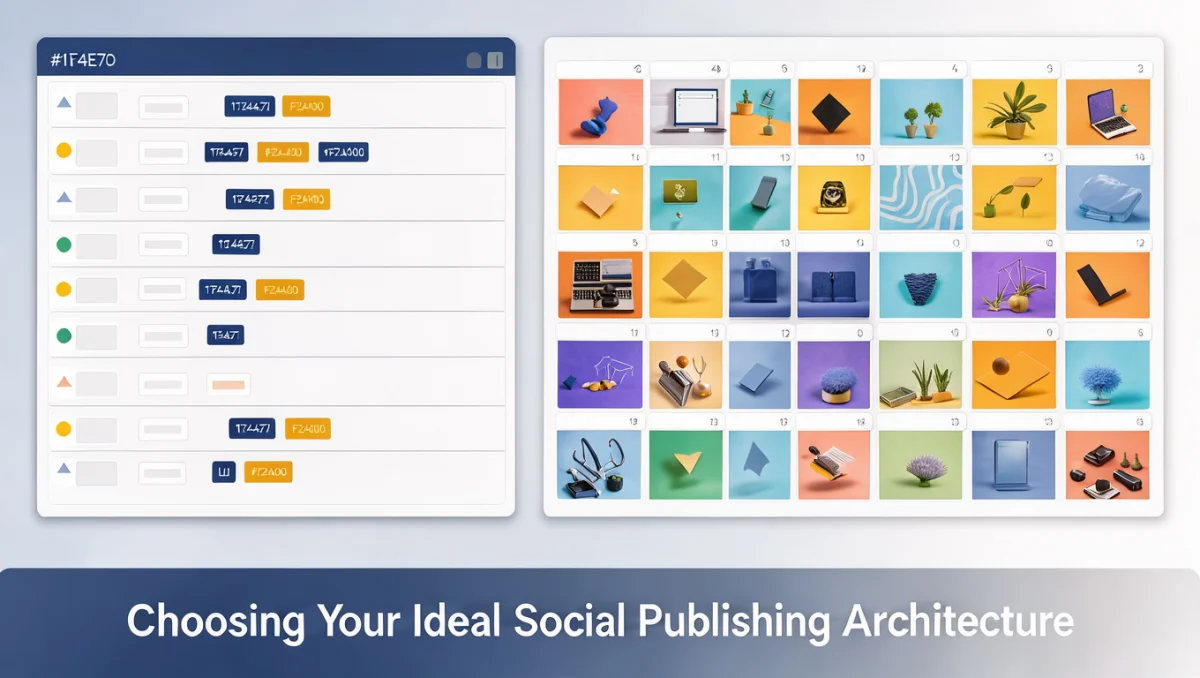
Social media management software generally follows one of two architectural approaches: queue-centric automation or calendar-centric planning. SocialBee was built around content categorization, letting social media managers assign posts to distinct slots such as blog promotions, industry news, or quotes.
Later started as a visual-first planner, organizing workflows around media storage and aesthetic arrangement. Instead of writing copy first, users upload media to a side gallery and drag it onto target calendar dates to build scheduled campaigns.
3.1. How SocialBee Structures Social Scheduling
SocialBee structures publishing as continuous queues governed by category rules. A social media manager sets time slots for specific content types, and the software pulls available drafts from designated categories to fill those slots in order.
This structure removes repetitive manual posting for organizations with deep archives of evergreen content. Users can set expiration rules, pause specific categories during seasonal promotions, and tailor post copy for each network while keeping a single core message.
3.2. How Later Structures Social Scheduling
Later organizes publishing around media assets and calendar timelines. The platform places an asset library beside an interactive weekly or monthly calendar, making it quick to place assets across scheduled dates.
Visual planning tools let operators see how upcoming images look together before anything goes live. This suits design-conscious brands, retailers, and individual creators for whom visual balance across sequential posts is a strategic goal.
4. SocialBee vs Later: Detailed Criteria Comparison
To evaluate these platforms objectively, Top App Review Sites examines seven standard criteria used in software selection. Looking at these functional areas shows how daily work flows inside each interface.
4.1. Features: Queue Logic vs Visual Arrangement
SocialBee gives deep control over post recycling and scheduling frequency. Its content categorization lets publishers maintain varied posting cadences without re-entering copy each week. Users can generate post variations, set recurring intervals, and organize content libraries into folders.
Later emphasizes asset management and visual previewing. Its interface includes tagged media storage, media filtering, and feed preview options that simulate how upcoming posts will look alongside published content. Setting up ongoing recycled evergreen queues, however, requires manual duplication compared with category-based engines.
When weighing feature utility, social teams need to decide whether their bottleneck is producing a steady volume of posts or perfecting visual coordination before release.
4.2. Ease of Use and Daily Editorial Workflows
Later offers an intuitive onboarding experience for creative users who think visually. Navigating media files and placing items on calendar dates requires minimal training, which makes the platform approachable for solo creators and small boutique teams.
SocialBee has a steeper learning curve because of its category architecture. Establishing categories, configuring time slots, and assigning post rules takes deliberate setup before publishing becomes automated. Once configured, however, day-to-day maintenance demands less manual drag-and-drop effort.
4.3. Pricing and Value Considerations
Both platforms use tiered subscription models based on connected social profiles, post history storage, and team member permissions. Costs rise as organizations expand their brand presence or add staff.
Buyers should review the official SocialBee pricing page and the official Later pricing page to confirm user seat limits and social profile allowances. Also check whether administrative roles or multi-brand workspaces require a higher tier.
4.4. Third-Party Integrations and Publishing Destinations
Social publishing platforms maintain connections to major networks, including professional, conversational, and visual platforms. Because API capabilities and network partnerships change over time, teams should verify exact publishing methods on each official website before subscribing.
Some networks allow direct automated publishing, while certain post formats or account types may require reminder notifications or intermediate steps. Checking supported media formats in official documentation prevents disruptions after onboarding.
4.5. Audience Fit for Various Business Types
SocialBee suits service agencies, business consultants, content marketers, and software vendors whose messaging centers on informative text, case studies, and content amplification. These organizations gain real productivity from steady publishing cadences across several business channels.
Later aligns closely with direct-to-consumer retailers, lifestyle brands, visual artists, and social creators whose engagement depends on visual storytelling. For these users, aesthetic consistency directly shapes brand perception.
4.6. Customer Support and Educational Resources
Both vendors maintain self-service knowledge bases, product documentation, and support channels. Subscription tiers often determine response channels, ticket priority, or access to dedicated account guidance.
Teams adopting a new publishing tool should judge documentation clarity during evaluation. Reading official onboarding articles helps confirm whether training materials match the technical comfort of your social media contributors.
4.7. Competitive Position and Alternatives
Social media management software is a mature sector with established alternatives at every scale. Competitors such as Buffer, Hootsuite, and Sprout Social occupy neighboring positions across the market.
Buffer targets teams that want a lean publishing interface with straightforward scheduling. Hootsuite serves medium-sized teams managing broad publishing, listening, and advertising oversight. Sprout Social focuses on larger enterprise teams that need unified inbox workflows, deep customer care analytics, and multi-department governance.
5. How to Decide Between SocialBee and Later
Choosing between SocialBee and Later requires an honest look at your publishing assets, editorial bandwidth, and dominant social platforms. Use the steps below to clarify what you need from software.
- Audit your asset mix: Determine whether your content is mostly text-based articles, industry links, and written insights, or high-resolution images and video reels.
- Evaluate queue requirements: Decide whether you need automatic content recycling to keep schedules full for months, or whether every campaign requires unique, non-repeating assets.
- Count required user seats: Review how many team members, copywriters, and client reviewers need administrative or draft-approval access.
- Confirm account limits: Check the official pricing tables for both platforms to see how social profiles are counted, especially when managing multiple brands.
6. Frequently Asked Questions
6.1. Which software is better for content recycling?
SocialBee was architected around evergreen recycling and content categories. It lets users organize evergreen material into thematic collections that refill scheduled slots according to user-defined cadence rules.
6.2. Which software is better for visual feed planning?
Later provides dedicated visual calendar planning and grid preview tools designed for image-driven networks. Creative teams can see how scheduled posts harmonize visually before going live.
6.3. What should a social media team confirm before buying either platform?
Prospective subscribers should verify on official plan pages how many profile connections, team seats, and workspace partitions each tier includes, since expanding a team changes total cost.
6.4. Can both platforms schedule posts across multiple social channels?
Both platforms support scheduling across standard social networks. Buyers should check official documentation to confirm network-specific features, supported media sizes, and publishing methods for their preferred channels.
7. Final Verdict: SocialBee vs Later
Choosing between SocialBee and Later in 2026 comes down to structured queue management versus visual calendar layout. SocialBee offers systematic category recycling that minimizes ongoing administration for evergreen content. Later excels at visual planning, asset organization, and aesthetic layout review for image-centric brands.
| Criterion | Score /10 | Reason |
|---|---|---|
| Features | 8.1 / 10 | Strong specialization in queue recycling and visual layout management respectively |
| Ease of Use | 8.2 / 10 | Intuitive drag-and-drop asset scheduling alongside clear category setup workflows |
| Pricing and Value | 7.5 / 10 | Standard subscription structures; confirm user seats and profile limits before buying |
| Integrations | 7.1 / 10 | Reliable coverage of major publishing destinations, subject to third-party network rules |
| Audience Fit | 8.5 / 10 | Clear separation between evergreen content distributors and visual-first brand managers |
| Support | 7.4 / 10 | Comprehensive help documentation and standard support channels across tiers |
| Competitive Position | 7.8 / 10 | Distinct niches held successfully against general-purpose schedulers |
Overall score: 7.8 / 10
For teams focused on distributing content across professional and general information channels, SocialBee delivers disciplined queue automation. For creative agencies and retail brands focused on visual aesthetics, Later delivers intuitive grid coordination.
Readers with questions about social media software selection can reach the editorial team through the Top App Review Sites contact page, or follow Top App Review Sites on LinkedIn for ongoing software analysis.