Top App Review Sites may earn a commission when you buy through links on this page, at no extra cost to you. Our ratings remain independent.
Marketing teams that want to see how rival brands frame their ads often lose hours browsing ad libraries by hand. AdCreative AI competitor insights aim to shorten that research by summarizing visual layouts, headline angles, and messaging patterns across active advertising networks, so teams can spend more time on testing and conversion work.
Creative automation tools now combine banner generation with competitive research to speed up production. Studying rival layouts, copy positioning, and visual trends helps media buyers write sharper creative briefs and cut the number of tests needed. This review covers how those research features work, where they fit into team workflows, and what buyers should confirm on the official provider website before paying for a plan.
Quick verdict: AdCreative AI earns an overall score of 7.8 / 10 from our team. It suits performance marketers, growth agencies, and direct-to-consumer operators who want fast creative generation informed by market trends. It is less suited to solo operators who only edit graphics now and then and do not run regular ad tests.
| Metric | Summary |
|---|---|
| Top App Review Sites score | 7.8 / 10 |
| Best for | Teams seeking automated creative generation and competitor inspiration |
| Not ideal for | Media buyers who only need manual graphic editing tools |
| Key strengths | Automated ad banner generation and market creative analysis |
| What to check before buying | Asset credit allocations and export formats on the official website |
1. How Top App Review Sites Evaluated AdCreative AI
This review examines what AdCreative AI is built to do, who it serves, and how it stacks up against similar tools. We used seven criteria: features, ease of use, pricing and value, integrations, audience fit, support, and competitive position. Plans, prices, and limits change frequently, so we flag the details you should confirm on the official website before buying. This article was researched and drafted with AI assistance, then reviewed and edited by the Top App Review Sites Editorial Team.
2. What AdCreative AI Is and Who Uses It
AdCreative AI is an automated ad generation platform that produces conversion-focused visual banners, copy variations, and market intelligence for paid advertising. It sits within the wider group of artificial intelligence marketing tools that help growth professionals speed up creative production.
2.1. Core operational purpose
Teams use the software to cut the time spent building promotional banners from nothing. Users supply basic brand assets such as logos, color palettes, and product images, and receive complete layouts ready to deploy across several advertising channels.
2.2. Target audience and team profiles
The platform is aimed at businesses running ongoing paid social or display campaigns that need constant testing. Key segments include:
- Performance marketing agencies managing creative assets for multiple clients.
- Direct-to-consumer e-commerce brands refreshing promotional visuals across ad networks.
- In-house marketing departments that want faster first drafts before final review.
- Freelance ad buyers looking for baseline layout ideas.
3. Core Creative and Competitor Research Workflows

The main features cover automated visual rendering, copy generation, and analysis of competitor ad trends within commercial niches.
3.1. Market intelligence and competitor trend exploration
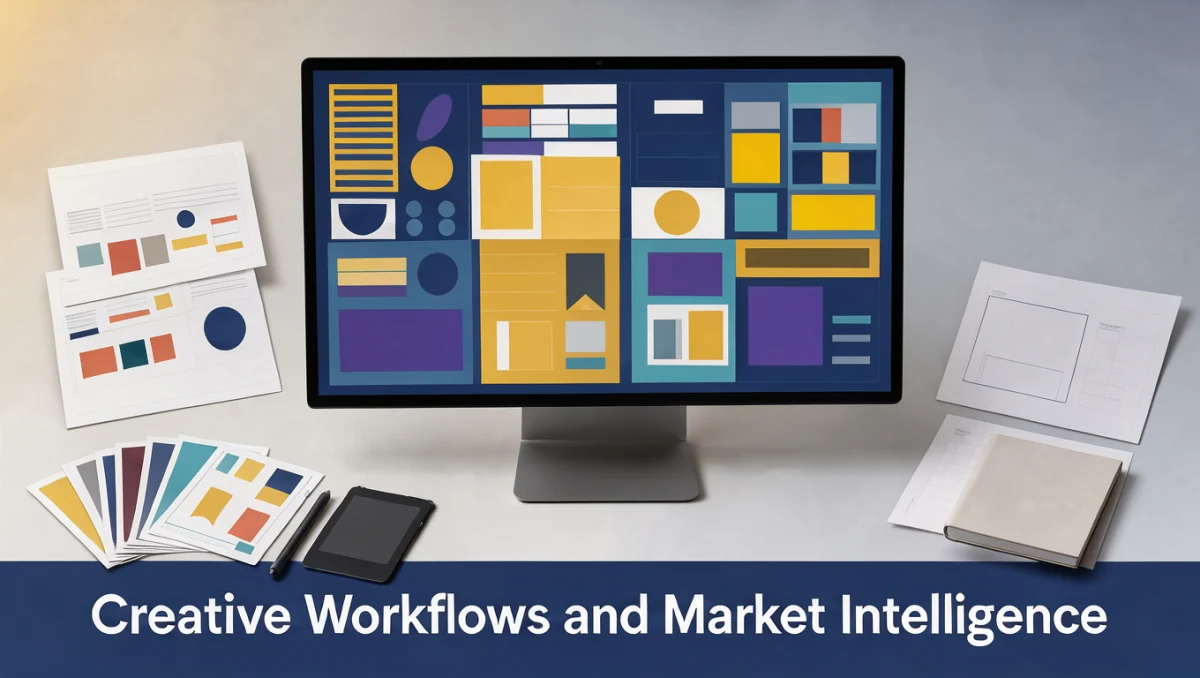
Reviewing adcreative ai competitor insights shows campaign managers which visual hooks and headline formats other brands use in related categories. Rather than searching ad archives network by network, creative teams can view summarized patterns in layout structure, graphic density, and headline style. These observations give creative directors concrete benchmarks when designing split tests for seasonal campaigns.
3.2. Automated display banner production
The platform produces banner variations in common commercial aspect ratios, adapting graphics for vertical feeds, square formats, and landscape placements. Users upload brand assets, set the headline objective, and receive variations with background treatments and call-to-action buttons.
3.3. Ad copy synthesis and messaging prompts
Alongside graphics, the application drafts text variations for headlines, primary text, and link descriptions. Marketers check these suggestions against brand voice guidelines and adjust wording to match how their customers think.
4. Ease of Use and Learning Curve
AdCreative AI uses a structured, step-by-step creation flow that walks users through brand asset setup, design selection, and final file export.
4.1. Account setup and brand kit configuration
Onboarding starts with uploading logos, setting specific color codes, and adding font files or choosing default typography. Setting these once means later generation cycles follow brand guidelines without manual color correction on each canvas.
4.2. Campaign creation and asset management
Generation follows a linear questionnaire: users pick aspect ratios, enter target messaging, and review the resulting variations. The interface groups outputs into project folders, which makes it easy to pull up earlier batches for seasonal reviews.
- Initial setup requires establishing brand guidelines and asset repositories.
- Creative generation follows a structured wizard format.
- Exporting involves selecting specific layouts for campaign deployment.
5. Pros and Cons of AdCreative AI
Evaluating automated creative software means weighing fast asset output against limited customization and the need for human review.
5.1. Platform strengths
- Rapid production of visual ad variations across several standard aspect ratios.
- Built-in competitive creative research that supports campaign brainstorming.
- Streamlined brand kit management that keeps visual consistency intact.
- Copy prompt generation that reduces writer hesitation during campaign planning.
5.2. Practical limitations and workarounds
- Generated layouts can look formulaic at times, so they may need fine-tuning in a dedicated graphic tool before a large budget launch.
- Niche industries with strict aesthetic rules may need substantial manual adjustment.
- Generation allowances vary by tier, so buyers should confirm allocation limits on the official website before purchasing.
6. AdCreative AI vs Similar Tools
Seeing where AdCreative AI fits next to alternatives helps teams choose the right tool for their creative process.
| Platform | Primary Positioning | Best For | Operational Distinction |
|---|---|---|---|
| AdCreative AI | Automated conversion banner and copy generation with market insights | Performance marketers and growth agencies | Fast generation focused on ad conversion layouts |
| Canva | General drag-and-drop graphic design suite | Small businesses, solo creators, and content marketers | Broad graphic design flexibility with manual layout control |
| Jasper | Enterprise marketing copywriting platform | Content strategists and long-form copy teams | Deep focus on written editorial and marketing text |
| Adobe Express | Quick multimedia editing and branded design | In-house creative teams and creative specialists | Deep asset editing and brand asset synchronization |
6.1. Creative automation vs manual template suites
Tools like Canva give manual control over every layout element, which suits general marketing material such as flyers, social banners, and presentation decks. AdCreative AI concentrates on paid advertising units, assembling compositions automatically from conversion design patterns.
6.2. Visual focus vs text-centric AI assistants
Dedicated text generators are better at drafting full ad scripts, email sequences, and long articles. AdCreative AI focuses on the visual asset and pairs it with supporting ad copy.
7. Who Should Use AdCreative AI Competitor Insights
Whether this software fits depends on campaign volume, testing cadence, and team resources.
7.1. Freelance media buyers and solopreneurs
Freelancers managing several advertising clients often hit bottlenecks in graphic production. Automated layouts let independent operators pitch fresh visual directions to clients without hiring an outside design agency.
7.2. Direct-to-consumer brand teams
E-commerce merchants depend on frequent creative refreshes to avoid banner fatigue on paid social channels. Teams in this sector benefit from studying competitor creative trends and producing replacement banners quickly.
7.3. Organizations that should consider alternative solutions
Companies running limited brand awareness campaigns, or relying mainly on organic search traffic, gain little from automated ad generators. Organizations with highly bespoke artistic requirements may be better served by traditional graphic design software.
8. How to Choose the Right Plan
Subscription models for AI creative software usually scale with asset generation limits, brand workspace allowances, and team seats. Confirm the exact details on the official AdCreative AI pricing page before subscribing.
| What to check on the official pricing page | Why it matters for your budget |
|---|---|
| Creative credit allocations | Determines how many rendered banners your team can download each month without extra charges |
| Brand workspace allowances | Crucial for agencies managing several distinct client identities in one portal |
| User seat access | Dictates whether creative directors, copywriters, and media buyers can share access directly |
| Competitor intelligence query limits | Affects how extensively research teams can explore competitor ad data each billing cycle |
8.1. Assessing your monthly generation cadence
Estimate how many creative iterations your campaigns need each month. Media buyers running frequent split tests across several networks use up credits faster than businesses running steady evergreen ads.
8.2. Accounting for team collaboration requirements
If several people need to review, approve, or export banners, check seat costs on the official provider website to avoid unexpected add-on fees.
9. Frequently Asked Questions
9.1. What should buyers check before purchasing an advertising software subscription
Buyers should estimate their monthly creative export volume, count the team members who need dashboard access, and confirm credit expiration terms on the official website. Checking whether unused generation credits roll over into the next billing cycle prevents unexpected waste.
9.2. How does competitor creative research help ad performance
Studying active competitor ads reveals common design formats, promotional messages, and visual hooks that work within a niche. Media buyers use these observations to craft differentiated angles and to spot overused visual styles that audiences may ignore.
9.3. When should a business upgrade to an agency or multi-brand setup
Consider a larger subscription when managing separate brand assets, distinct product catalogs, or several client portfolios that need segmented workspaces. Check the workspace boundaries on the official platform page so teams stay separated and client files do not mix.
9.4. What additional tools complement automated ad creative platforms
Automated ad generators pair well with manual raster and vector editors for detailed photo retouching, web analytics suites for tracking conversions, and digital asset managers for storing original product photography. Keeping dedicated design tools alongside automated utilities preserves full creative flexibility.
10. Final Verdict on AdCreative AI Competitor Insights
AdCreative AI is a useful option for performance advertisers, direct-to-consumer businesses, and digital agencies that want to speed up banner production and track creative trends. Manual polishing still helps for nuanced brand campaigns, but the automated workflow greatly accelerates early-stage campaign drafting.
| Criterion | Score / 10 | Reason |
|---|---|---|
| Features | 8.5 / 10 | Generates multi-format visual banners alongside structured competitor ad trend observations |
| Ease of Use | 8.0 / 10 | Step-by-step creation flow simplifies initial brand kit setup and asset exports |
| Pricing and Value | 7.5 / 10 | Buyers must assess whether monthly download credits match their campaign testing volume |
| Integrations | 7.0 / 10 | Users should verify export formats and publishing connection options on the official website |
| Audience Fit | 8.5 / 10 | Addresses the day-to-day needs of fast-moving performance marketing teams |
| Support | 7.0 / 10 | Support response options should be confirmed directly through the official help center |
| Competitive Position | 8.0 / 10 | Stands out in creative automation through its dedicated focus on ad conversion |
Overall Top App Review Sites score: 7.8 / 10
Teams looking for advice on choosing advertising technology can send specific workflow questions through our contact page, or follow Top App Review Sites for ongoing software evaluations.