Affiliate notice: topappreviewsites may earn a commission when you buy through links on this page, at no extra cost to you. This does not affect our ratings.
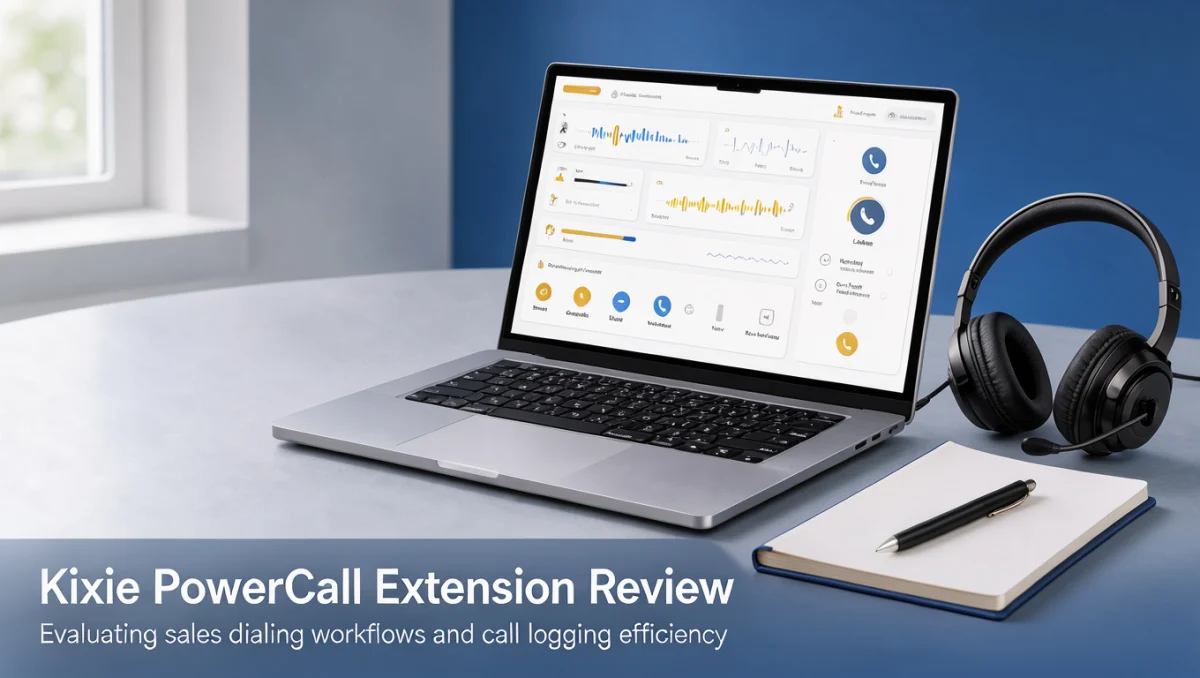
The kixie powercall extension acts as a computer telephony integration and sales dialer built to simplify outbound calls, call logging, and contact handling right inside web browsers. For teams working through active prospect lists, the right phone tool shapes how quickly reps reach leads and keep records current. At Top App Review Sites, we judge communication software by how well it reduces repetitive sales work and administrative drag.
Outreach teams depend on dependable call connections and organized contact data to keep pipelines moving. Adopting the kixie powercall extension lets representatives dial straight from browser tabs and contact records, though results hinge on telephony setup and disciplined data entry habits.
Quick verdict: The kixie powercall extension scores 7.7 out of 10 on the topappreviewsites scale. It suits sales development teams that want click-to-call and automatic activity tracking within the browser. It is a weaker fit for solo users who only need simple inbound answering without structured prospecting.
| Metric | Summary |
|---|---|
| topappreviewsites score | 7.7 / 10 |
| Best for | Sales teams running high-volume outbound calls with centralized CRM tracking |
| Not ideal for | Casual users wanting a basic second phone line without outreach productivity tools |
| Key strengths | Click-to-call dialing, automatic call activity recording, and browser-based contact workflows |
| What to check before buying | Confirm user seat requirements, international calling destinations, and carrier compliance rules on the official pricing page |
1. How topappreviewsites Evaluated the Kixie PowerCall Extension
This review examines what the kixie powercall extension is designed to do, who it serves, and how it stacks up against similar tools. We apply seven topappreviewsites criteria: features, ease of use, pricing and value, integrations, audience fit, support, and competitive position. Plans, prices, and limits change frequently, so we flag what to verify on the official website before purchasing. This article was researched and drafted with AI assistance, then reviewed and edited by the topappreviewsites Editorial Team.
2. What the Kixie PowerCall Extension Is and Who Needs It
The kixie powercall extension is an outbound telephony application that embeds calling, messaging, and contact automation into everyday sales routines. Built by Kixie as a core communication utility, it targets the friction reps face when manually dialing numbers from prospect records. By turning phone numbers on web pages into live dial links, the extension lets representatives start outreach without leaving their working tabs.
The software is aimed at outbound sales teams, business development reps, account executives, and customer service desks handling routine voice conversations. As outreach operations grow, managers often find that manual logging leaves data incomplete and erodes customer context. The kixie powercall extension addresses this by capturing call data, duration, and user notes during each interaction.
Buyers should first ask whether their daily work depends mainly on outbound phone calls or on digital messaging. Teams running structured cold-calling campaigns gain clear advantages from streamlined dialing, while teams focused mostly on email may see specialized telephony tools as secondary.
3. Core Features of Sales Dialing Software

Judging telephony software means understanding the main functional areas that define outbound calling platforms. These capabilities determine whether a tool can sustain calling cadences while keeping data accurate.
Click-to-Call and Automated Dialing
Click-to-call is the foundational function of modern browser dialers. Reps can click phone numbers on web pages, web apps, or prospect lists to launch calls instantly. This removes dialing mistakes and shortens the gap between conversations. Prospective buyers should confirm on the official Kixie website which automated dialing modes come with each tier, since multi-line or progressive dialing varies across service levels.
Activity Logging and Call Disposition Tracking
Outbound communication software offers structured interfaces for selecting call outcomes, such as connected, left voicemail, or bad number. These dispositions give managers visibility into campaign performance and pipeline speed. Rep notes entered in the dialer attach directly to call logs, preventing data from splitting across systems.
Call Recording and Quality Monitoring
Call recording stores audio of conversations for team coaching, quality assurance, and dispute resolution. Sales managers use recordings to spot effective conversation patterns and guide new reps during onboarding. Buyers should review recording compliance rules in their jurisdiction and verify storage durations with the vendor before turning the feature on.
Inbound Call Routing and Notification
Beyond outbound dialing, telephony extensions alert users to incoming calls through browser notifications and interface pop-ups. Routing rules send inbound inquiries to designated team members or hunt groups. Organizations should decide whether they need complex interactive voice response menus or simple round-robin forwarding.
4. Ease of Use and Learning Curve
Browser dialer tools generally offer a straightforward experience because they run as overlay panels rather than standalone desktop installs. Reps can reach dialing controls, search recent contacts, and review past calls without switching between software windows. The layout groups the keypad, contact details, and disposition menus into a compact frame.
For new reps, the learning curve centers mainly on forming habits around call dispositions and note-taking. Placing a call takes a single click, but keeping disposition selection disciplined requires team-wide onboarding and written standard operating procedures. Teams moving from traditional desk phones usually adapt to browser dialing within a few working shifts.
Administrators face a somewhat steeper setup when defining organization-wide dialing rules, local presence settings, and member permissions. Testing audio hardware, headsets, and internet bandwidth stability is a must before rolling out browser extensions across distributed sales groups.
5. Pros and Cons of the Kixie PowerCall Extension
Every software platform involves trade-offs shaped by its target audience and design priorities. Knowing these advantages and potential hurdles helps buyers make objective decisions.
Pros of the Kixie PowerCall Extension
- Streamlined calling workflow: Clicking numbers directly on web pages removes manual data entry and dialing errors.
- Centralized disposition capture: Call outcomes and rep notes are recorded immediately after each conversation.
- Convenient browser access: Reps run the dialer within their existing browser sessions without switching desktop programs.
- Coaching value: Recording options support systematic quality audits and structured sales training.
Cons of the Kixie PowerCall Extension
- Telephony dependency: Voice clarity depends on local internet quality, browser stability, and audio hardware.
- Plan differentiation complexity: Advanced dialing and call distribution features sit across different subscription levels, so official verification is essential.
- Administrative oversight required: Consistent value depends on strict enforcement of call dispositions and data governance policies.
6. Kixie PowerCall Extension vs. Similar Tools
The sales communication market includes several established telephony and dialer providers, each aimed at different business sizes and operating models. Comparing Kixie against recognized alternatives clarifies its market position.
| Solution | Target Audience | Primary Focus | Consideration Factor |
|---|---|---|---|
| Kixie PowerCall extension | Outbound sales teams and call centers | Browser-based calling and sales activity tracking | Verify international calling rates and specific plan limits on the official vendor portal |
| Aircall | Growing customer support and sales teams | Cloud business phone system and call center routing | Strong emphasis on shared call inboxes and collaborative team routing |
| Dialpad | Enterprises needing unified business communications | Voice, video, and internal messaging collaboration | Offers broad internal business phone infrastructure alongside outbound capabilities |
| PhoneBurner | High-velocity outbound prospecting teams | Power dialing and outreach cadence acceleration | Specializes in rapid outbound contact cycles with minimal pauses |
Kixie positions its PowerCall extension around outbound sales productivity, cutting the administrative friction between prospecting and dialing. Aircall prioritizes general business telephony and shared support lines, while Kixie emphasizes direct outreach speed. Dialpad delivers broader corporate communication infrastructure, and PhoneBurner concentrates on rapidly working through contact lists. Buyers should decide whether their priority is multi-channel office communication or dedicated outbound rep efficiency.
7. Who Should Use the Kixie PowerCall Extension
Choosing suitable sales telephony software means matching organizational habits to platform capabilities. Different business types gain varying levels of value from browser-based dialing.
Freelancers and Independent Consultants
Solo professionals handling occasional client calls rarely need dedicated dialer software. Because consultants usually make planned, low-volume calls, basic cellular service or a standard virtual number covers everyday needs without extra software layers.
Small Business Owners and Startup Founders
Founders running early founder-led sales benefit from structured call logging, especially while testing outreach messaging. Budget-conscious businesses, however, should check the official Kixie pricing page to confirm whether minimum seat thresholds apply, since some business platforms require multi-license commitments.
Outbound Sales and Business Development Teams
Dedicated outbound sales development reps gain the most from the kixie powercall extension. Removing manual number entry across hundreds of weekly prospect interactions saves significant working hours. Consistent disposition tagging gives sales directors clear activity metrics as teams grow.
Customer Support and Client Success Desks
Support desks answering inbound account questions can use browser telephony to take calls and document client issues. Teams that need intricate multi-level IVR trees, queue callbacks, or omnichannel ticket merging should check whether a specialized helpdesk phone system better fits their workflows.
8. How to Choose the Right Plan
Telephony providers structure plans around feature sets, usage allowances, and organizational size. Navigating subscription options means comparing your team's needs against vendor terms.
| What to Check on the Official Site | Why It Matters | Who It Matters Most For |
|---|---|---|
| User seat minimums | Some packages require minimum team sizes, changing the baseline monthly cost | Small teams and early-stage startups |
| Calling minute allowances and carrier fees | Outbound costs differ between domestic and international destinations and toll-free usage | Organizations dialing global prospects |
| Advanced dialing functionality | Progressive or automated multi-line dialing is often limited to higher tiers | High-volume prospecting departments |
| Phone number provisioning and regulatory fees | Acquiring local numbers and maintaining compliance registrations carries ongoing costs | Companies expanding into several regional markets |
To avoid surprise budget increases, sales leaders should audit calling volume patterns before choosing a tier. Checking whether standard plans include outbound minutes or bill on metered usage keeps forecasts realistic. Reviewing vendor documentation on carrier registration standards is equally important for protecting outbound call deliverability.
9. Frequently Asked Questions
What hardware is needed to run browser-based dialing software effectively?
Reliable browser dialer use requires a modern computer, a steady high-speed internet connection, and a wired USB or certified wireless headset. Built-in microphones and speakers often introduce background noise and echo. Stable local bandwidth is essential to prevent call jitter and packet loss.
What factors affect total telephony software spending beyond the monthly base fee?
Total costs include the base license, per-minute charges for domestic and international calls, local number rental fees, and mandatory carrier registration fees. Organizations should review vendor billing schedules to account for telecom taxes and add-on module costs before signing.
Should sales organizations check phone number reputation before launching campaigns?
Checking number reputation helps avoid spam labeling by major carriers, which monitor outbound calling patterns and completion rates. Organizations should register clear caller identification and follow industry calling frequency guidelines to keep answer rates high.
How should small organizations prepare before rolling out a browser phone extension?
Preparation involves standardizing call disposition options, testing connection stability, configuring headset settings, and setting internal data entry rules. Making sure reps know how to record notes and mark call statuses prevents inconsistent reporting and protects data quality.
10. Final Verdict
The kixie powercall extension is a focused, practical option for outbound sales organizations looking to cut administrative friction and raise daily conversation volume. By bringing calling, disposition recording, and audio review into browser tabs, it addresses common productivity bottlenecks in manual prospecting. Teams that need disciplined outbound workflows will find its interface suited to active rep cadences.
| Criterion | Score / 10 | Reason |
|---|---|---|
| Features | 8.0 / 10 | Functional click-to-call, disposition tagging, and call recording suited to sales tasks |
| Ease of Use | 8.2 / 10 | Browser extension layout keeps keypad and contact notes accessible without window switching |
| Pricing and Value | 7.2 / 10 | Value depends on verifying seat minimums and usage costs on the official pricing page |
| Integrations | 7.5 / 10 | Sync routines should be evaluated against your specific CRM architecture |
| Audience Fit | 8.5 / 10 | Well aligned with outbound reps and call centers running structured calling cadences |
| Support | 7.0 / 10 | Support channels, responsiveness, and onboarding resources should be confirmed directly with the provider |
| Competitive Position | 7.8 / 10 | Holds a dedicated place in the sales dialer category compared with general office phone solutions |
Overall score: 7.7 out of 10. For growing sales development teams and outreach specialists, the kixie powercall extension delivers a streamlined calling utility that keeps reps focused. Organizations with casual or purely inbound phone needs should consider simpler, non-sales telephony options.
For independent software evaluations and vendor comparisons, visit Top App Review Sites. Readers with questions about sales communication platforms can reach us through our Sales category or via our contact page at https://topappreviewsites.com/contact/, and follow topappreviewsites on LinkedIn at https://www.linkedin.com/company/topappreviewsites/ for ongoing software updates.