topappreviewsites may earn a commission when you buy through links on this page, at no extra cost to you. This does not affect our ratings.
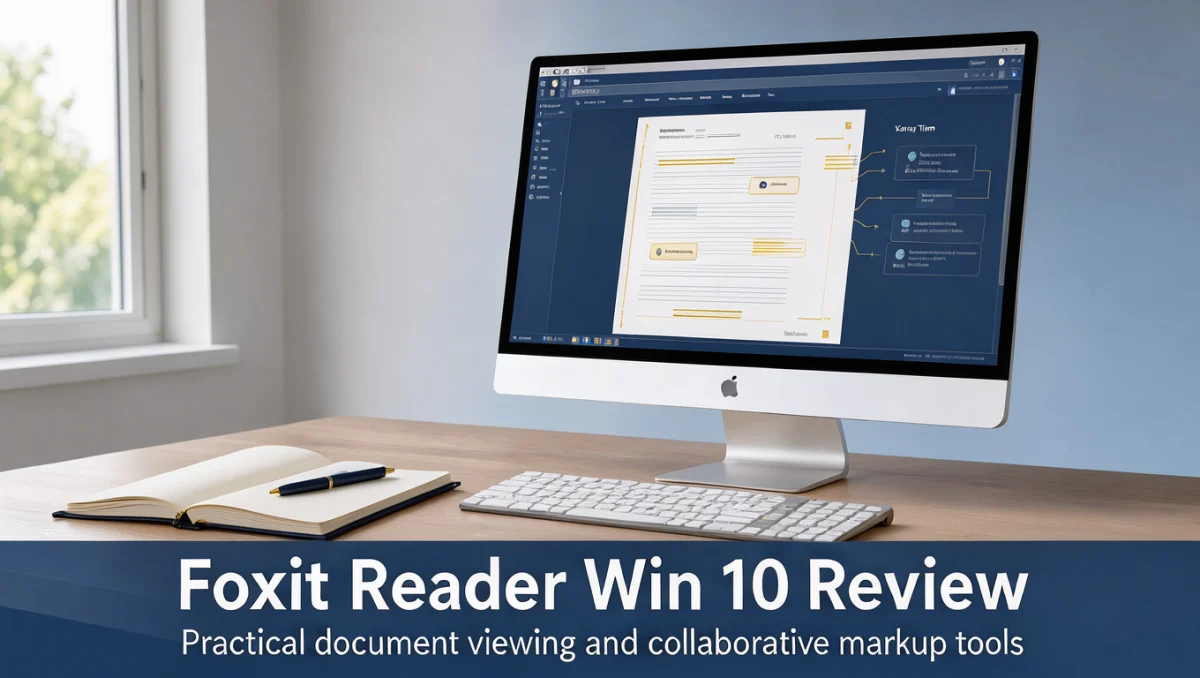
Foxit Reader is a dedicated desktop program built for opening, marking up and managing PDF files on current Windows systems. If you need a dependable reader for everyday paperwork, our independent review at Top App Review Sites helps you judge whether it fits your routine before you commit a workstation to it.
Reading tools shape how smoothly office work runs, especially when files need comments, forms or precise rendering. Understanding how foxit reader win 10 handles markup and form data can prevent workflow friction later on.
Quick verdict: With an overall score of 8.1/10, Foxit Reader suits individual professionals, office staff and students who need fast navigation, form completion and markup tools. It is less suited to teams that need specialized publishing systems or full creative page-building suites.
| Evaluation Metric | topappreviewsites Assessment |
|---|---|
| topappreviewsites score | 8.1/10 |
| Best for | Office workers, administrative staff, and students who require efficient document reading, note-taking, and form handling |
| Not ideal for | Graphic designers and desktop publishers seeking complete creative page reconstruction or vector artwork composition |
| Key strengths | Document rendering speed, structured comment management, text markup utilities, and digital form data submission |
| What to check before buying | Review official licensing structures, user allocation policies, and organizational deployment rules on the developer website |
1. How topappreviewsites Reviewed Foxit Reader Win 10
This review looks at what Foxit Reader is built to do, who it serves, and how it compares with similar tools, using the seven topappreviewsites criteria: features, ease of use, pricing and value, integrations, audience fit, support and competitive position. Plans, prices and limits change often, so we point out what to confirm on the official website before you buy. This article was researched and drafted with the help of AI tools, then reviewed and edited by the topappreviewsites Editorial Team.
2. What Foxit Reader Is and Who Uses It
Foxit Reader is a document management and reading application developed by Foxit Software to open, view, print and annotate PDF files. It concentrates on clean rendering and interactive markup for people handling electronic paperwork on standard computers, whether they are checking administrative forms, studying research articles or sharing feedback across distributed teams.
The software serves knowledge workers, students, legal clerks and corporate staff who regularly review contracts, study materials and technical documentation. Organizations standardizing their Collaboration & Productivity tools often prioritize readers that open files without noticeable delay and provide standard markup for collaborative review cycles.
Unlike creative design software or full document authoring suites, this utility focuses on reading, markup and form interaction. Teams that recognize this distinction can judge whether standard viewing capabilities cover their daily needs or whether a higher-tier document creation program is necessary.
3. Core Features of Document Readers
The core capabilities of a document viewer determine how effectively teams review records and exchange feedback. Evaluating these groups helps buyers see how the application handles everyday documentation tasks.
3.1. Document Viewing and Navigation
Navigation features let operators scan multi-page files, view structural bookmarks and jump between sections without lag. Search helps locate keywords, reference clauses or numeric values across lengthy reports, while thumbnail panels and multi-tab layouts make it easy to inspect complex files alongside supporting project documents.
3.2. Annotation and Collaborative Markup
Reviewers rely on annotation tools to give clear feedback during editorial and approval workflows. Standard options include text highlighting, strikethrough and underline accents, sticky notes and freehand drawing. Keeping these inside the reader lets teams centralize feedback on the source document instead of maintaining separate communication logs.
3.3. Interactive Form Completion
Form filling is essential for administrative, academic and corporate paperwork. Interactive fields accept text input, checkbox selections and signature placeholders, so users can complete standard forms electronically. Reliable form tools cut printing costs and streamline routine record collection across departments.
3.4. Document Printing and Export Options
Printing features ensure electronic files reproduce accurately on paper or virtual printers without distorted margins. Operators can choose page ranges, adjust scaling and select monochrome or full-color output to match internal archiving standards. Clean export options help preserve layout integrity when files move between workstations.
4. Ease of Use and Learning Curve
The interface follows familiar productivity software conventions, organizing primary functions into clear ribbon menus and collapsible sidebars. Users coming from standard office suites usually understand the layout right away, since document controls, magnification sliders and comment lists sit in recognizable places. This familiarity reduces onboarding friction in large offices deploying the software across many desks.
The learning curve usually centers on finding secondary annotation tools and adjusting display preferences. Navigating multi-page technical manuals, changing continuous scroll settings and managing comment layers take little practice. Our editorial staff at Top App Review Sites notes that interface consistency plays a decisive role in cutting support tickets during company-wide rollouts.
5. Pros and Cons of Foxit Reader Win 10
Weighing functional strengths against product limits helps purchasers set realistic expectations for office deployments.
5.1. Advantages
- Fast document rendering that enables rapid navigation across lengthy reports and reference guides.
- A comprehensive annotation toolset supporting highlights, notes and direct shape markups for clear editorial feedback.
- Reliable interactive form processing that simplifies digital administrative workflows and paperwork submission.
- A familiar ribbon-style menu that reduces staff training needs across enterprise departments.
5.2. Limitations and Mitigation
- Limited advanced page restructuring compared with dedicated publishing suites, so teams doing heavy layout overhauls need separate software.
- Feature depth can feel dense for casual readers who only scroll pages, which can be eased by configuring simplified viewing bars.
- Commercial terms and deployment rules vary, so administrators should confirm licensing details on the vendor portal before purchasing.
6. Foxit Reader vs Similar Tools
Comparing document viewers means understanding how each platform positions itself in the productivity market. Adobe Acrobat Reader has a long-established presence and set many standards for reading and printing electronic documents in enterprises, so organizations often choose it when corporate infrastructure requires legacy compatibility.
Sumatra PDF targets users who want a very lightweight footprint and near-instant file opening, leaving out deeper collaboration and interactive markup. Nitro PDF focuses on full document lifecycle workflows, combining reading with conversion and administrative publishing tools for corporate environments.
Foxit Reader balances responsive reading performance with rich annotation and form handling, appealing to teams that need practical collaborative markup without the overhead of heavy desktop authoring packages.
7. Who Should Use Foxit Reader
Matching software capabilities to specific workplace demands keeps day-to-day operations running smoothly across different roles.
7.1. Corporate Administrative Teams
Office administrators handling invoices, employee records and routine compliance forms benefit from dependable form handling and annotation tools. A standardized viewer lets departments review contracts, add procedural notes and route paperwork without file formatting problems.
7.2. Students and Academic Researchers
Scholars reading research papers, textbooks and lecture notes find structured bookmark navigation and text highlighting especially useful. Being able to annotate excerpts and export annotated summaries supports thorough revision without complex software overhead.
7.3. Legal and Professional Service Consultants
Consultants auditing lengthy agreements and policy guidelines rely on search and margin notes to track critical contractual terms. Collaborative markups help build internal consensus before finalized recommendations go to external partners.
7.4. Teams That Should Consider Other Options
Creative directors, typographers and professional print publishers who build magazines or complex marketing collateral need dedicated vector authoring suites rather than a reading utility. Users who only glance at occasional one-page notices can often rely on the default operating system viewer.
8. How to Choose the Right Plan
Choosing productivity software means assessing organizational scale, functional needs and deployment overhead. Use the following matrix when researching document software options.
| What to Check | Why It Matters |
|---|---|
| Deployment type and workstation support | Confirms whether the installation package aligns with centralized IT rollout policies and existing operating environments. |
| Commercial licensing terms | Ensures organizational compliance across single workstations, multi-user offices, and corporate networks. |
| Annotation and markup requirements | Verifies that team members have adequate commenting, highlighting, and shape-drawing tools for daily collaboration. |
| Form management capabilities | Determines whether staff can reliably complete, save, and submit interactive administrative forms. |
| Support and administrative maintenance | Guarantees that help resources and technical documentation are accessible when workstation anomalies arise. |
9. Frequently Asked Questions
9.1. What factors determine whether basic document viewing software is sufficient for an office?
Organizations should check whether staff mainly read files, complete forms and add review comments, or whether they regularly rebuild text, edit underlying vector layouts or reorganize pagination. When daily work centers on reading, signing and reviewing records, a standard reader meets operational needs without added complexity.
9.2. What should buyers evaluate regarding organizational licensing policies?
Buyers should read how the vendor defines commercial use, user installations and network deployment rights on its official licensing pages. Knowing whether access is tied to individual machines or organizational accounts prevents compliance mistakes and keeps IT budgeting accurate as teams grow.
9.3. Why is form handling an important consideration when selecting a PDF viewer?
Interactive forms are central to modern HR, accounting and compliance workflows. Software that accurately captures text entries, supports standard checkboxes and preserves form data on save avoids record loss and removes the need to print paper copies.
9.4. How should an enterprise plan software rollouts across multiple employee workstations?
IT managers should consult official installation guides to learn about silent installer options, configuration switches and centralized update management. Confirming administrative deployment options before buying licenses helps ensure a uniform installation across all company computers without interrupting ongoing work.
10. Final Verdict
Evaluating document management utilities means balancing reading speed, functional range and long-term deployment costs. The table below shows how Foxit Reader performs across our standard assessment dimensions.
| Criterion | Score /10 | Reason |
|---|---|---|
| Features | 8.5 | Delivers practical reading tools, responsive search, text markups, and reliable electronic form completion. |
| Ease of Use | 8.5 | Presents a familiar ribbon interface that minimizes employee training time during workplace adoption. |
| Pricing and Value | 8.0 | Requires careful review on the vendor site to match commercial terms with organizational workstation budgets. |
| Integrations | 7.5 | Focuses on standalone document interaction, making it necessary to confirm compatibility with internal storage systems. |
| Audience Fit | 8.5 | Aligns cleanly with the everyday requirements of administrative staff, students, and corporate knowledge workers. |
| Support | 7.5 | Provides documentation and help channels that buyers should review on the official portal for response expectations. |
| Competitive Position | 8.2 | Maintains an established position as a responsive viewing and annotation solution alongside traditional industry alternatives. |
Overall Score: 8.1/10
For individual professionals, students and corporate departments that need a dependable application to read reports, complete administrative forms and collaborate through markups, Foxit Reader Win 10 is a capable, well-structured choice. Organizations with heavy document creation or vector illustration needs should evaluate dedicated page authoring tools for those specialized tasks.
Have questions about choosing the right productivity software for your team? Contact our team at https://topappreviewsites.com/contact/ or follow topappreviewsites on LinkedIn at https://www.linkedin.com/company/topappreviewsites/ for ongoing workplace technology analysis.