Top App Review Sites may earn a commission when you buy through links on this page, at no extra cost to you. This does not affect our ratings.
When weighing SaneBox vs Superhuman, you are really choosing between two philosophies: quietly filtering the inbox you already use, or replacing it with a dedicated, speed-focused client. Both aim to tame overloaded inboxes, but they attack the problem at different stages of the email lifecycle.
The right pick depends on whether you want to keep your current webmail or desktop app, or move into a purpose-built environment. Start by looking at how you actually spend your email time and where the bottleneck sits.
Quick verdict: In this sanebox vs superhuman assessment, the combined category rating reaches 7.8/10. Background sorting suits professionals committed to their existing webmail, while a high-speed client serves people handling heavy inbound volume who value rapid processing over keeping familiar applications.
| Evaluation Dimension | Summary Overview |
|---|---|
| Top App Review Sites score | 7.8/10 |
| Best for | Professionals handling high message volume who want either background sorting or rapid keyboard-driven triage |
| Not ideal for | Casual users with light email traffic, or teams that need shared collaborative ticketing |
| Key strengths | Automated folder organization, message snoozing, fast navigation shortcuts, and focused reading views |
| What to check before buying | Confirm current subscription details, account connection methods, and interface requirements on the official sites |
1. How Top App Review Sites Reviewed SaneBox vs Superhuman
This review examines what each tool is built to do, who it serves, and how it compares with similar products. We used seven criteria: features, ease of use, pricing and value, integrations, audience fit, support, and competitive position. Plans, prices, and limits change frequently, so we flag what to confirm on each vendor's official website before buying. This article was researched and drafted with AI assistance, then reviewed and edited by the Top App Review Sites Editorial Team.
2. Short Answer: Background Sorting or a Dedicated Client
The decision centers on whether you want an automated assistant working quietly behind your current inbox, or a completely reimagined reading and writing environment. SaneBox acts as an algorithmic filtering layer that reorganizes messages into custom folders within your existing email client. Superhuman is an independent email client built around speed, keyboard shortcuts, and structured inbox processing.
Professionals who are happy with their current setup often prefer server-level filtering. People who spend several hours a day responding to incoming messages frequently choose a specialized client that reduces visual friction and speeds up clearing the inbox.
3. Quick Positioning Comparison
Both tools target communication overload, but they address different stages of the email workflow. SaneBox prioritizes automated triage before you open your inbox, while Superhuman optimizes interactive triage during active reading and composing.
| Tool | Best For | Core Strength | Consider If |
|---|---|---|---|
| SaneBox | Users who want to keep their current email software | Algorithmic folder organization and background message relocation | You want passive filtering without changing daily habits |
| Superhuman | Heavy email responders who need rapid triage | Fast keyboard navigation, split inboxes, and streamlined composition | You are willing to switch your primary email interface entirely |
4. Features Comparison
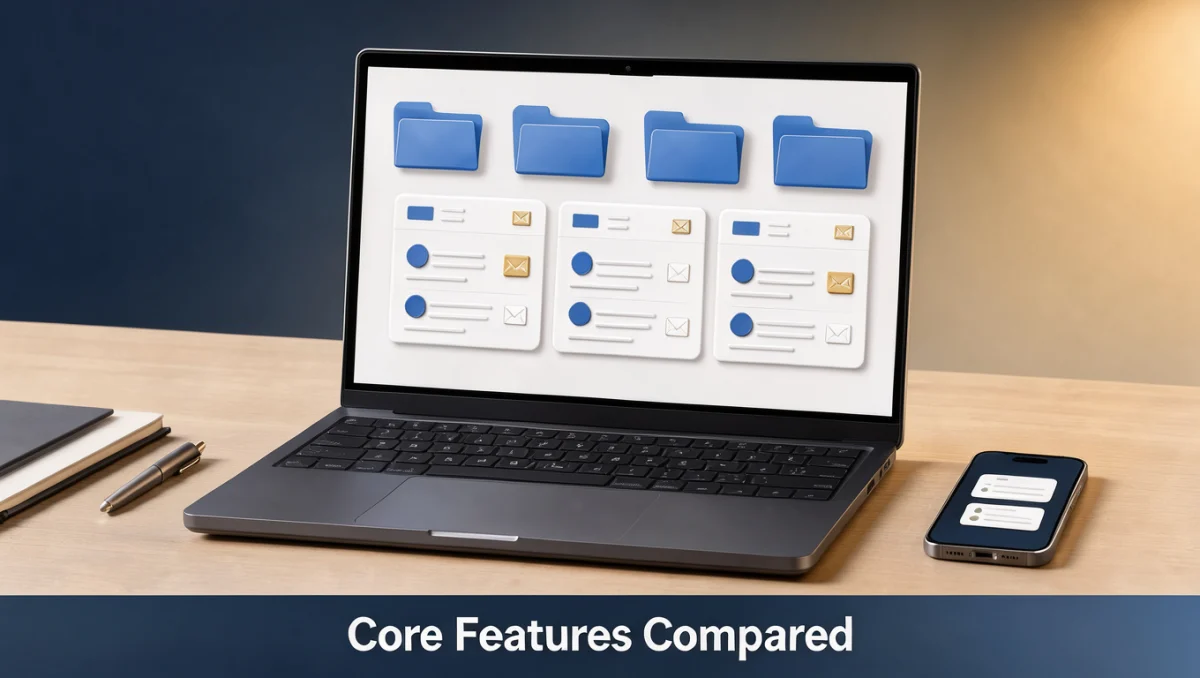
Evaluating capabilities means examining how each tool handles incoming streams, reminders, and outgoing messages. Both offer ways to defer attention on lower-priority mail, but the mechanics differ considerably.
4.1. Message Prioritization and Sorting
Automated sorting analyzes message importance and moves non-urgent items into secondary folders for later review. SaneBox evaluates incoming headers and places newsletters, receipts, and low-priority correspondence into designated folders so the primary inbox keeps critical discussions. The engine improves over time as you drag messages between folders.
Interactive triage platforms emphasize manual control executed quickly. Superhuman uses split inboxes to separate VIP senders, team threads, and notifications into distinct views. Triage relies on fast user decisions supported by keyboard commands rather than silent server-side moves.
4.2. Deferral, Reminders, and Snooze
Deferral tools clear the inbox by hiding items until a set date or time. SaneBox uses snooze folders: moving an email into one causes it to return to the primary inbox when the chosen timeframe passes. This works regardless of which email app you open on any device.
Superhuman builds snoozing into its reading interface, allowing one-keystroke deferral to preset or natural-language timeframes. Reminders fit into daily review routines, flagging when an expected reply has not arrived within a chosen window.
5. Ease of Use and Workflow Adaptation

Adoption complexity differs substantially. The learning curve determines how quickly you realize real efficiency gains in daily work.
5.1. Background Integration vs. Interface Transition
Server-side sorting requires almost no behavior change after setup. SaneBox connects at the mail protocol level and creates folders that sync across whatever software you already use. You keep opening your standard interface and simply see a filtered main view.
Adopting an independent client requires committing to a new interface. Superhuman replaces the standard inbox with minimalist typography, streamlined interaction, and little conventional clutter. The speed benefits are significant once muscle memory forms, though onboarding takes deliberate effort.
5.2. Navigation Paradigms and Shortcut Mastery
Standard email platforms rely on cursor movement, multi-step menus, and visual search. Filtering services keep these familiar conventions while reducing clutter in your main folders.
High-efficiency clients replace cursor navigation with keyboard-centric control. Superhuman structures archiving, snoozing, scheduling, and labeling around keystrokes and a command palette. Users who keep their hands on the keyboard gain substantial speed, while mouse-oriented users may face an initial adjustment period.
6. Pricing and Value Considerations
Software spending should align with the time it saves. Communication tools often use recurring subscriptions structured by account tier or user count.
6.1. Subscription Structures and Budget Planning
SaneBox generally segments its offering into tiers based on the number of connected email accounts and the processing folders activated. Confirm exact tier boundaries and account allowances on the official SaneBox pricing page before committing.
Premium dedicated clients often use flat per-user recurring pricing aimed at executives, founders, and sales professionals. Superhuman positions itself as a premium productivity investment. Verify current licensing, billing terms, and administrative options directly on the official Superhuman pricing page.
6.2. Evaluating Return on Time Invested
Calculate value by comparing hours reclaimed against monthly cost. Organizations looking at broader Collaboration & Productivity improvements should determine whether their team struggles mainly with message volume or response speed.
For professionals losing time to clutter, automated sorting offers an immediate reduction in visual noise. For communicators whose core job involves drafting many precise replies, interface responsiveness may justify a premium tool.
7. Ecosystem and Technical Compatibility
Any software must work cleanly with your identity provider, calendar system, and email host. Checking compatibility early prevents deployment problems.
7.1. Account Connectivity and Email Host Support
Broad protocol support determines whether a tool works with custom corporate servers or proprietary business hosts. SaneBox works across standard mail protocols including IMAP, Microsoft Exchange, and major enterprise suites, which makes it adaptable to varied infrastructures.
Dedicated clients often build deeper integrations with specific ecosystems. Superhuman centers its architecture on major commercial workspace hosts such as Google Workspace and Microsoft accounts. Organizations running independent or self-hosted mail servers should verify technical requirements on the official Superhuman website before onboarding staff.
7.2. Device Flexibility and Multi-Platform Continuity
Distributed knowledge workers need consistent workflows across workstations and mobile devices. Background filtering stays consistent across devices because the rules run on the server, so folders look identical on phone, tablet, and desktop.
Client-based applications must be installed on each device. Superhuman provides dedicated applications for supported desktop and mobile platforms, aiming for consistent keyboard conventions and responsiveness across them.
8. Target Audience and Operational Fit
Matching platform strengths to professional roles prevents workflow mismatch and wasted subscriptions.
8.1. Best Scenarios for SaneBox
Professionals who manage complex mail setups across several personal and business accounts benefit from automated background sorting. Consultants, project managers, and operations specialists who rely on their existing webmail tags, extensions, or calendar layouts can remove non-essential clutter without disrupting those routines.
This approach also suits people who check email at intervals through the day rather than processing it continuously. Automated folders hold secondary messages until a scheduled review.
8.2. Best Scenarios for Superhuman
Executives, venture partners, sales directors, and founders who treat email as their main work surface are strong candidates for a high-velocity client. When clear communication drives business outcomes and slow replies have real costs, faster triage pays off.
Users who embrace keyboard shortcuts and aim for inbox zero will find the focused interface rewarding, provided their corporate mail hosting is among the supported environments.
9. Customer Support and User Guidance
Support structures determine how easily users get past configuration hurdles, protocol issues, and onboarding questions. Evaluate support availability before adopting critical communication software.
9.1. Onboarding and Training Resources
Self-directed services emphasize guided setup, configuration walkthroughs, and knowledge bases that explain folder logic. SaneBox provides structured documentation covering folder training, attachment archiving, and digest scheduling to help new subscribers get set up.
High-touch platforms sometimes include guided walkthroughs or in-app keyboard training. Superhuman is known for interactive onboarding that teaches essential keyboard sequences from the start, which helps users build competence quickly.
9.2. Verifying Support Commitments
Support channels, availability hours, and escalation paths often vary by subscription tier. Check official vendor portals to confirm whether help comes through live chat, support tickets, or scheduled consultations before rolling out to a team.
10. Competitive Positioning and Market Context
The email productivity sector includes many software models, from rules engines to full communication suites. Understanding how each tool positions itself clarifies its core value.
10.1. Evolution of the Email Productivity Landscape
Independent productivity tools emerged in response to the limits of standard consumer webmail. SaneBox built its position around algorithmic intelligence that respects your choice of email client, so you are not locked into one vendor's app.
Superhuman established a premium category built on speed, design, and rapid interaction. Rather than only fixing the inbox from the outside, it reimagines the entire daily experience of handling professional correspondence.
10.2. Evaluation Across Alternatives
Organizations often compare these tools with other approaches such as client-level rules, built-in workspace filters, or shared inbox platforms. Buyers seeking objective software evaluations can consult independent benchmarks from Top App Review Sites to find tools that match their priorities.
11. Step-by-Step Decision Framework
Choosing between these platforms means answering questions about your daily routine, administrative permissions, and budget. Work through the following sequence.
11.1. Analyze Inbound Message Patterns
Review your message mix over the past month. If your inbox is mostly newsletters, marketing, receipts, and non-actionable notifications, automated sorting will provide immediate relief by clearing visual noise.
If your backlog consists mainly of high-stakes, actionable messages that need thoughtful replies, your bottleneck is triage and composition speed, which favors an optimized client.
11.2. Audit Your Interface Dependencies
List any critical extensions, CRM sidebars, or browser tools you rely on inside your current webmail. Moving to an independent client may remove access to those third-party features, which makes background filtering the more practical path.
If your process does not depend on webmail plugins, switching to an interface built for reading and writing speed will cause little friction.
11.3. Review Technical and Budget Feasibility
Confirm that your IT policies allow connecting third-party productivity software to your mail accounts. Verify supported hosts and check with administrators about software spending before starting trials or subscriptions.
12. Frequently Asked Questions
How do I know whether an automated filter or a dedicated email client suits my workflow?
Decide whether your main problem is inbox clutter or response speed. Automated filtering suits people who want to keep their current webmail while removing non-urgent messages in the background. A dedicated client suits people who spend hours triaging and writing email and want faster navigation.
What technical requirements should I verify before subscribing?
Check that your email host, such as Google Workspace, Microsoft Exchange, or an IMAP server, is supported on the official vendor sites. Also confirm that your security policies allow third-party access to mailboxes and that the client runs on your operating systems.
What ongoing costs should I plan for beyond the base subscription?
Budget for possible add-ons such as extra connected accounts, additional administrative seats, or premium support tiers. Review the official plan comparison tables to make sure the plan you choose covers your total account count without an immediate upgrade.
How should teams measure productivity gains after adopting an email tool?
Track metrics such as time to reach an organized inbox, the reduction in unread message buildup, and response time to critical inquiries. Compare turnaround before and after adoption to confirm that recovered hours justify the recurring cost.
13. Final Verdict
SaneBox and Superhuman both offer proven routes to inbox control, but they suit different working styles. SaneBox works as a quiet organizer that improves whatever email client you already use, requiring little behavior change while steadily filtering clutter. Superhuman works as a specialized, high-speed command center for people whose productivity depends on clearing messages quickly and writing efficiently.
| Criterion | Score /10 | Reason |
|---|---|---|
| Features | 8.5/10 | Both offer specialized sorting, snoozing, and organizational tools suited to different stages of the workflow. |
| Ease of Use | 8.0/10 | SaneBox requires almost no behavior change, while Superhuman asks you to learn keyboard shortcuts in exchange for high speed. |
| Pricing and Value | 7.0/10 | Subscription levels reflect premium productivity investments that buyers must weigh against measurable time saved. |
| Integrations | 7.5/10 | SaneBox connects across standard mail protocols, while Superhuman emphasizes deep integration with major workspace suites. |
| Audience Fit | 8.5/10 | Each tool targets a clearly defined professional profile, which makes suitability easier to judge. |
| Support | 7.0/10 | Support includes documentation and onboarding resources; specific response channels vary by plan. |
| Competitive Position | 8.0/10 | Both maintain strong differentiation as leading alternatives to standard inbox software. |
Overall score: 7.8/10
For freelancers and operations managers who want passive clutter control without giving up their preferred desktop or webmail apps, automated background filtering is the most practical route. For executives, founders, and client-facing communicators handling heavy daily email, a high-speed keyboard-driven client provides the focus needed to maintain inbox zero.
Have questions about choosing productivity tools for your organization? Contact our team at https://topappreviewsites.com/contact/ or connect with Top App Review Sites on LinkedIn at https://www.linkedin.com/company/topappreviewsites/.